Grant a user access via SSH
Jump to navigation
Jump to search
- Connect to the Valt server via SSH or via the console using an existing user.
- Type the following command the press enter:
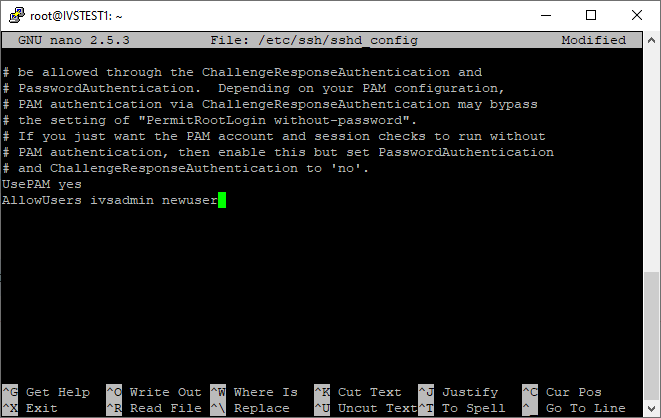
sudo nano /etc/ssh/sshd_config
- Scroll to the bottom of the file.
- Modify the AllowUsers line by adding the new users to the end of the line.
- Press Ctrl-X
- Enter Y to save
- Do not change the file name and press enter.