Installing Overhead Speaker on Axis Cameras with STM-1
Required Parts And Tools
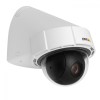
- Axis P5414-E
- Amplified Overhead Speaker (Any speaker will due, however, we recommend the OWI-AMPR2SIC5 and will be the speaker referenced in these instructions)

- 22/2 audio cable

- Fish Tape or Glow Rod

- Electrical Tape
- Wire Stripper


Installation Instructions
- Once your camera is installed, locate the AUDIO OUT on your P5414E.
- Strip the jacket of the 22/2 cable revealing the red, black, and bare wires inside. Cut away the bare wire and plastic surround the cable inside. Strip away a small piece of the red and black jackets revealing the bare copper wire.
- Wire the red to the + and black to the - of the AUDIO OUT of the P5414E phoenix connector.
- In this step, you want to run your 22/2 cable from the camera to your AMP2SIC5, wiring your red wire to the + phoenix connection and black to the - connection of the LINE INPUT of the AMP2SIC5 (See pics).
- Cut a small piece of the 22/2 cable stripping both sides away of either a red or black cable. Wire one end into the - and the other into the ground of the LINE INPUT.
- (#)See Pics Below

 [[File:|360x480px]][[File:|360x480px]]
- Once audio is plugged in, locate your run 18/2 from the AMP2SIC5 to its designated power outlet. Test the talkback unit is working by activating the talkback function within the Valt Software by having a partner use their computer microphone to communicate with you.
