IVS Beam User Interface
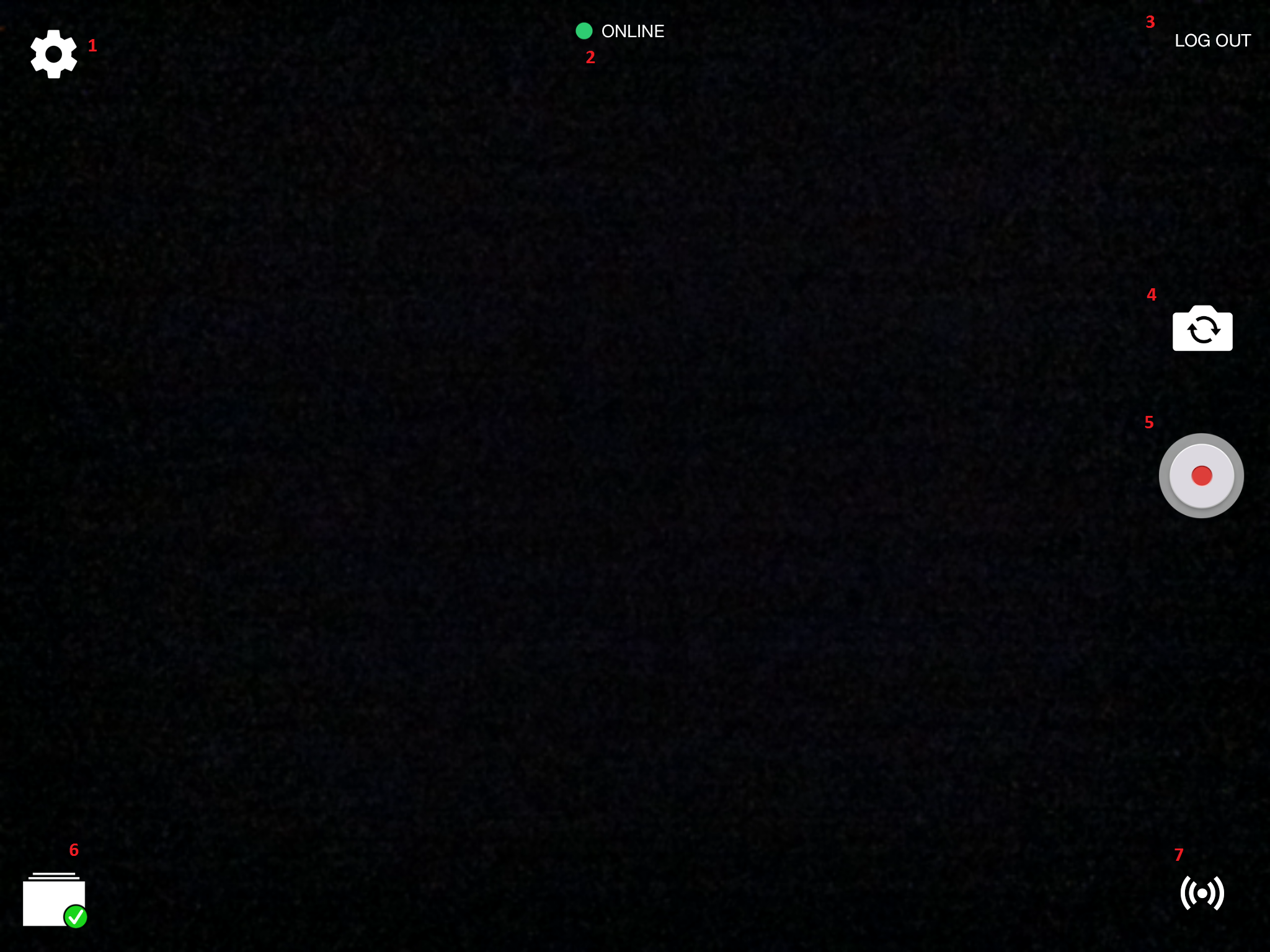
- ) Touch the Gear icon to open the Settings.
- ) Displays the current status of communication with the server.
- ) Touch to Log Out and Log In as another user.
- ) Touch to toggle between the front and rear cameras of your device.
- ) Touch to Start Recording.
- ) Touch to see recordings stored on this device and change Sync Settings.
 |
Sync is enabled, configured properly and no recordings are currently syncing. |
 |
Sync of recordings is currently underway. |
 |
Automatic Sync is currently disabled. |
- 7. ) Touch to place the device into streaming mode.