Video controls do not load in Chrome
From IVS Wiki
Revision as of 15:35, 5 January 2023 by
IVSWikiBlue
(
talk
|
contribs
)
(
diff
)
← Older revision
| Latest revision (diff) | Newer revision → (diff)
Jump to navigation
Jump to search
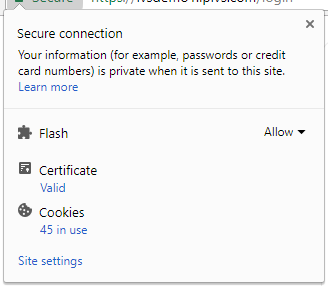
Click on the information section of the browser. If SSL is used, click on the green lock icon.
Click on
Site Settings
.
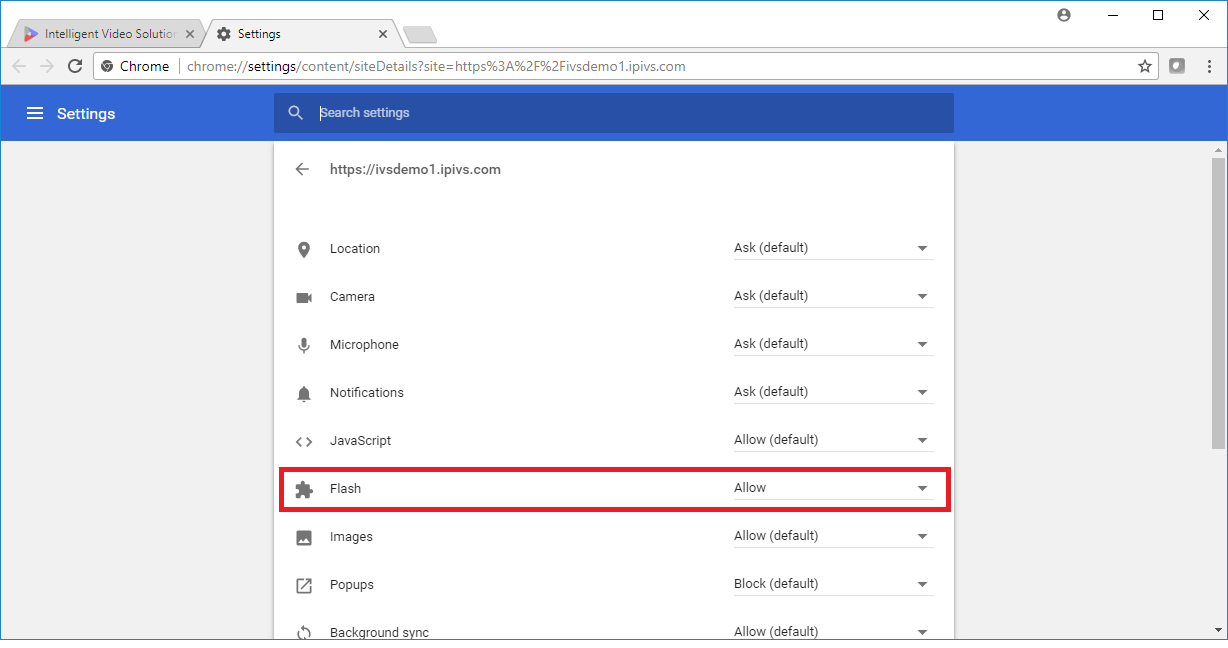
Change
Flash
to
Allow
.
Reload the Page.
Navigation menu
Personal tools
Log in
Namespaces
Page
Discussion
English
Views
Read
View source
View history
More
Search
Navigation
Main IVS Website
Contact Support
Customer Feedback
VALT Software
Information
Manual
API
Installation
Video & Audio
Mobile
Servers
Accessories
Troubleshooting
VALT
Video & Audio
Servers