Add iPad to VALT
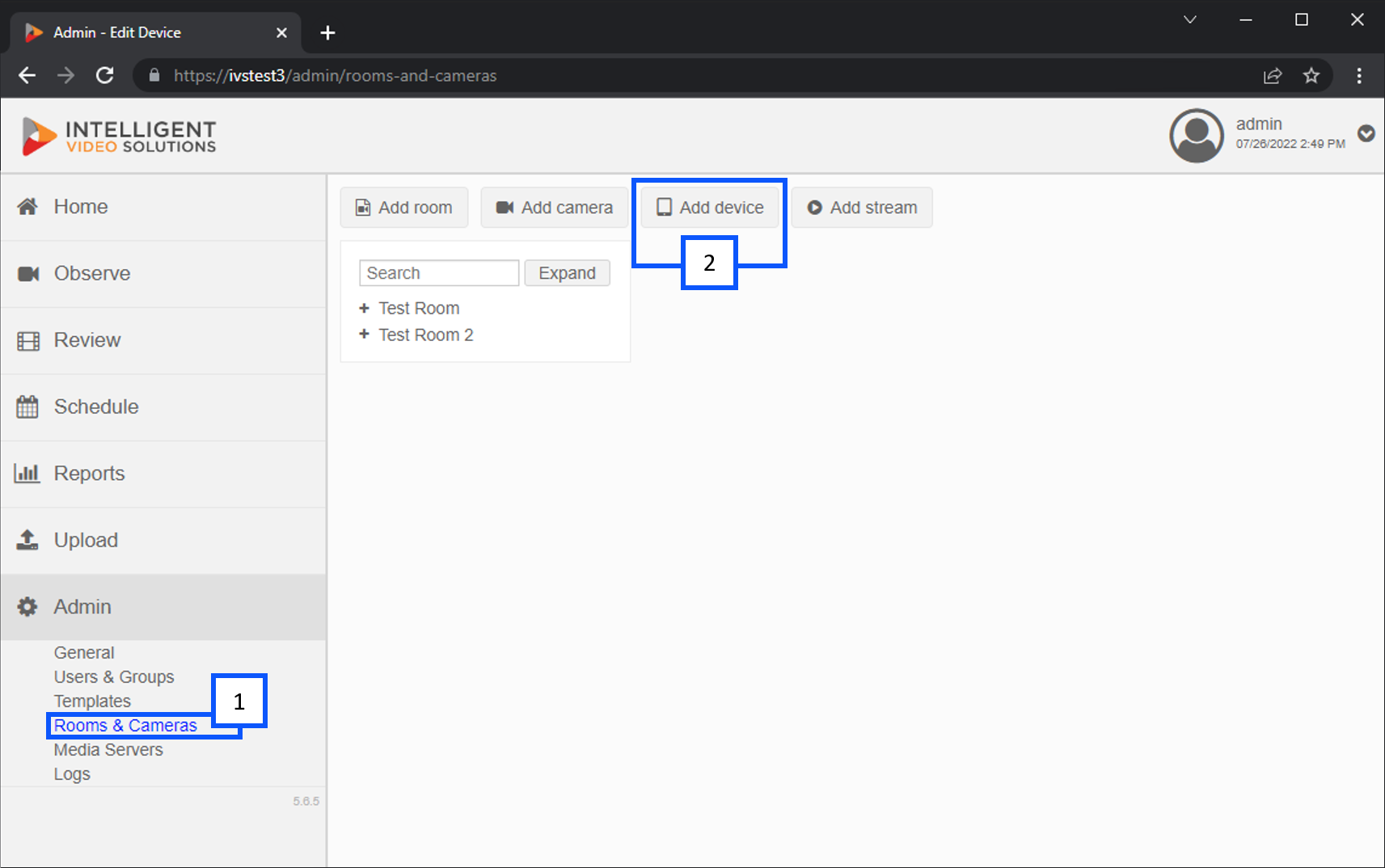
- Go to the Admin section and click Rooms & Cameras
- From there click on Add Device
You will then be prompted to fill out the appropriate information for the device you are adding.
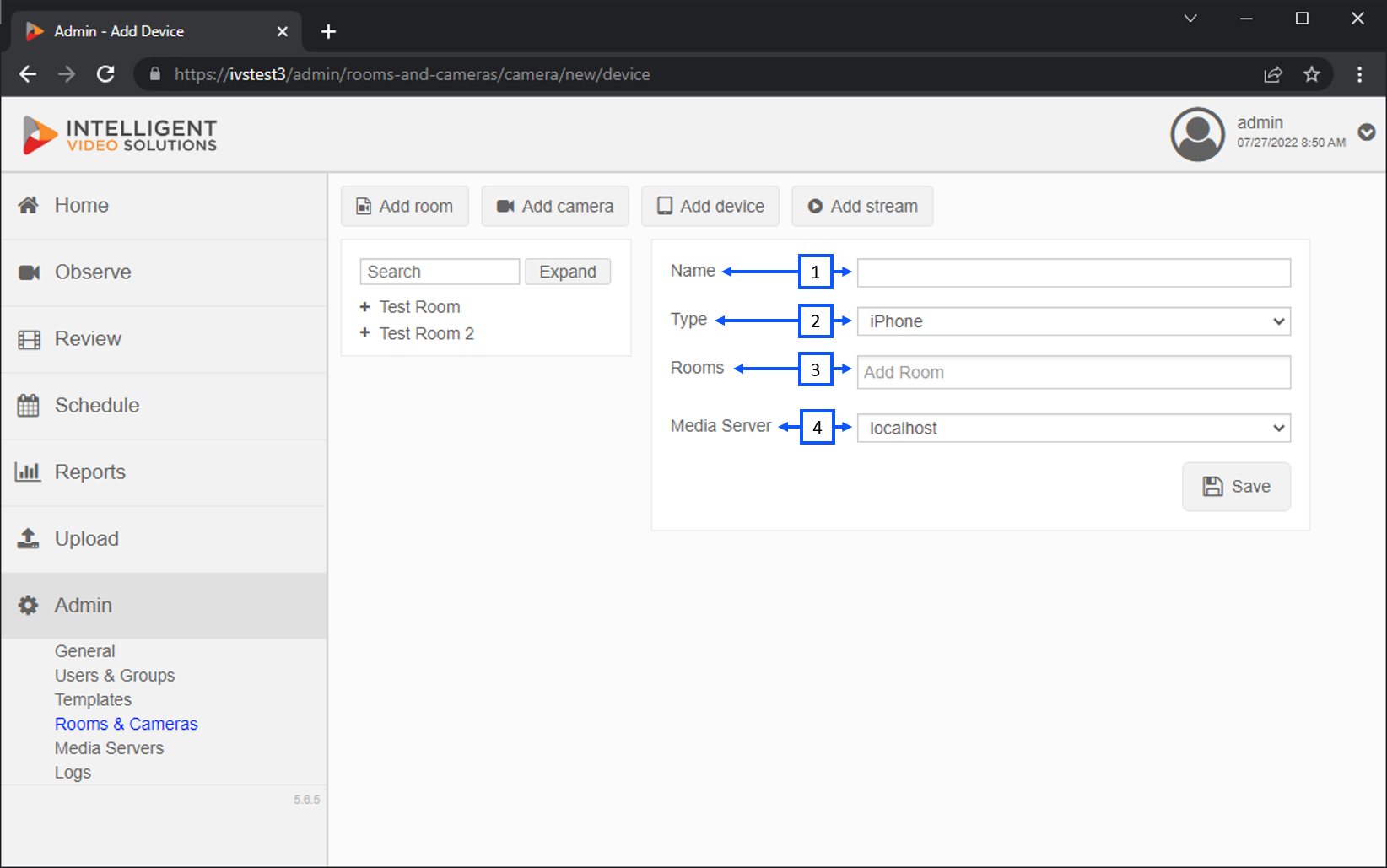
- Name: You should give the device a unique name that is easily identifiable.
- Type: This area allows you to select the type of device you are adding.
- Rooms: This is where you can select the room for the iPad. Most iPads are used in many different rooms. It is recommended to create a separate room for each mobile device.
- Media Server: This area allows you to select the server that will store the recorded video. In many cases, localhost is used.
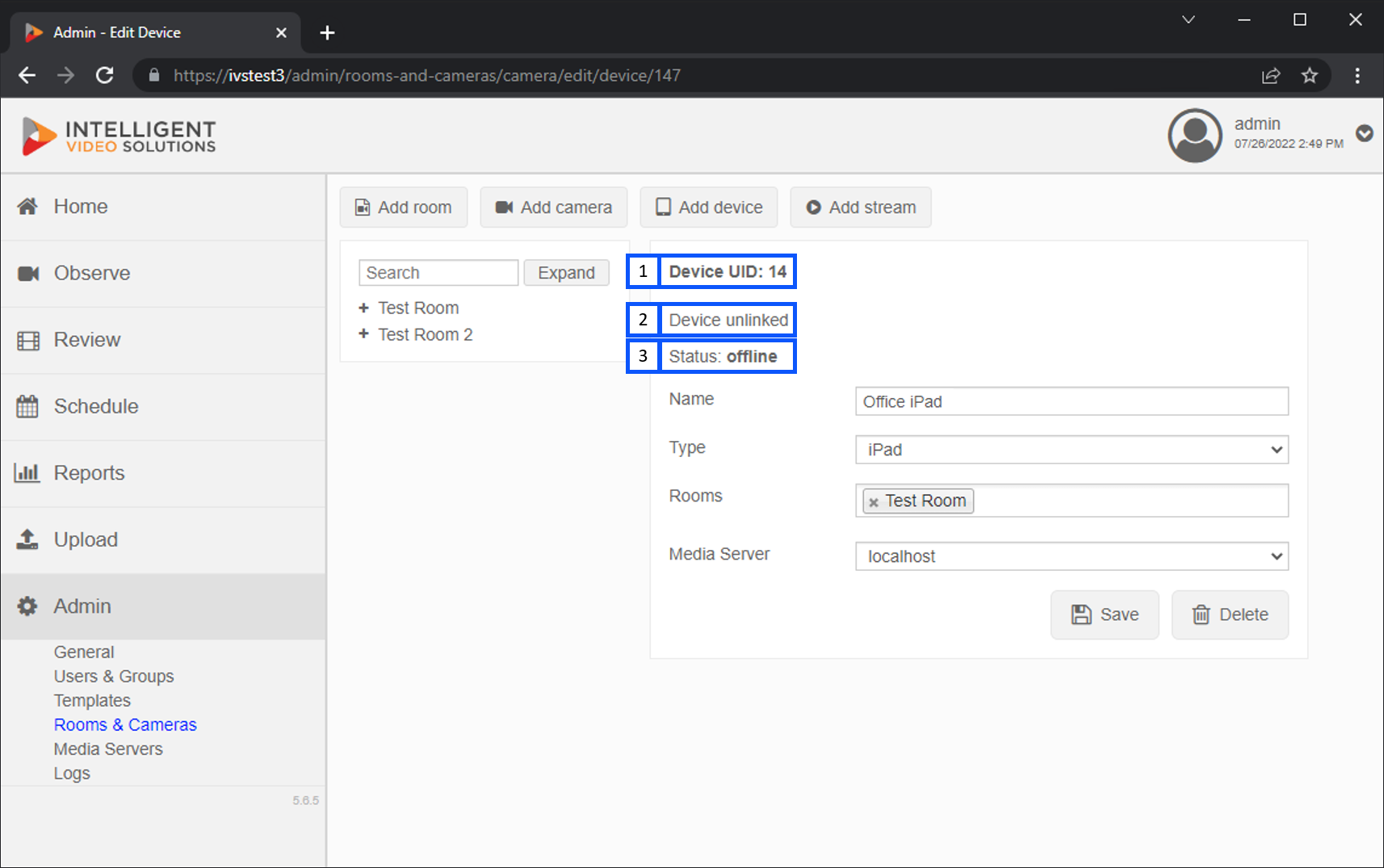
- Device UID: This ID is used to sync the device with VALT.
- Link Status: This area shows if the device is linked to VALT.
- Status: This area indicates if the device is currently streaming and connected to VALT.
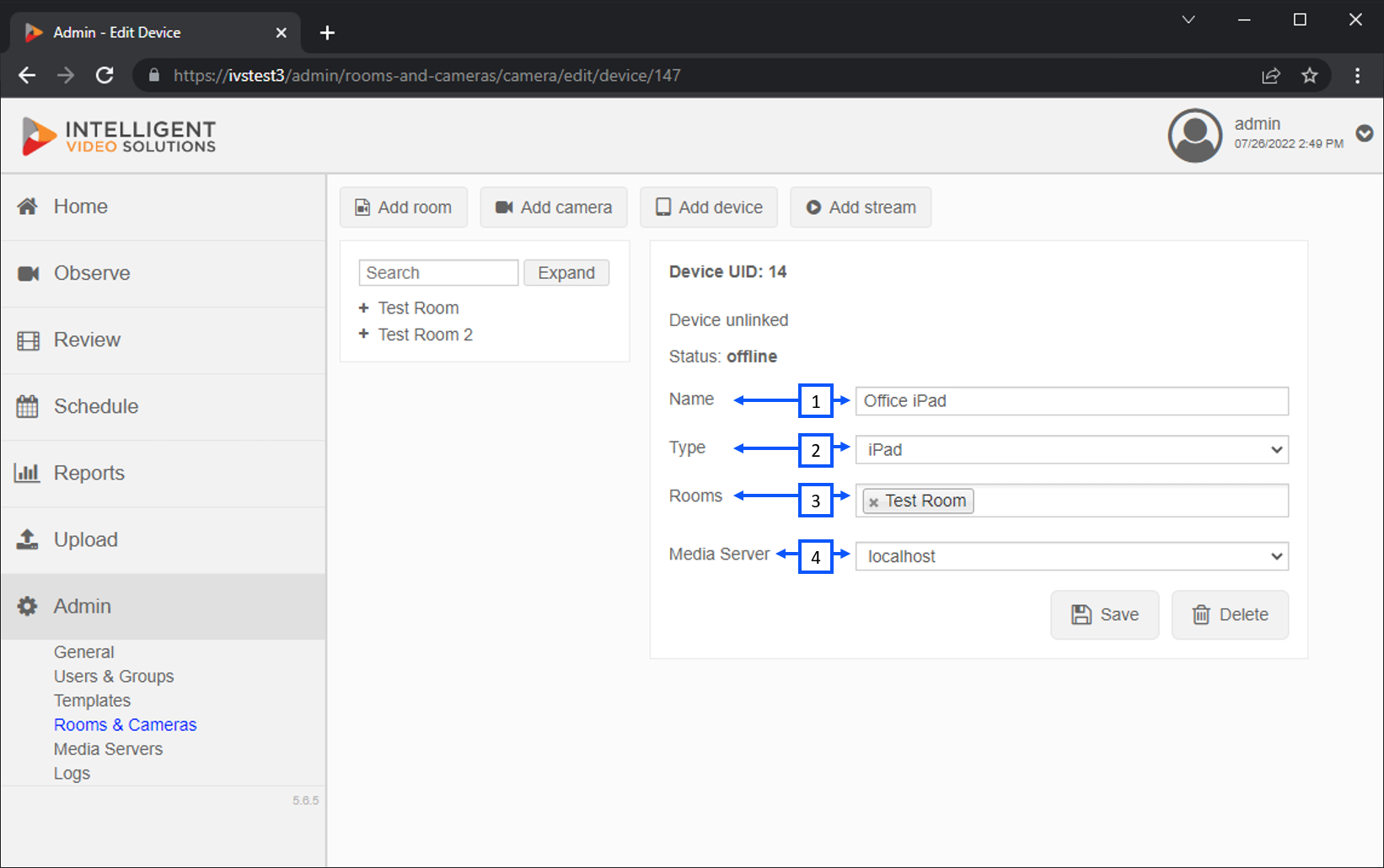
- Name:
- Type:
- Rooms:
- Media Server