Starting the IVS BEAM App

From IVS Wiki
Revision as of 13:54, 26 April 2024 by IVSWikiBlue (talk | contribs) (Created page with "{{Article | content = 1) Touch the '''IVS Beam''' app icon. :: {{img | file = iOS3.PNG | width=400px}} <hr> 2) Enter your username and touch '''Log In'''. {{Aside | hue = 5...")
(diff) ← Older revision | Latest revision (diff) | Newer revision → (diff)
Jump to navigation Jump to search

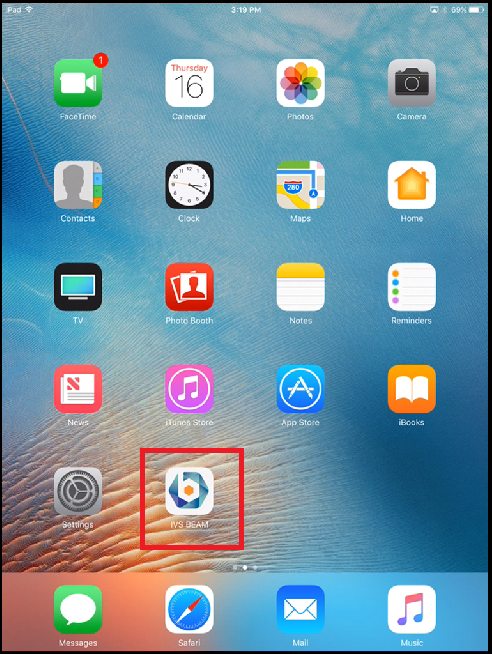
1) Touch the IVS Beam app icon.


2) Enter your username and touch Log In.

⚠
Important: Your username is case sensitive.

You are now in the app and ready to record!

⤺ Back to IVS BEAM Software User Guide