Single Sign-On (SSO)
VALT is compatible with SAML 2.0
- Browse to the the Fully qualified domain name and sign in with a local account
- Click on admin
- Click on Users & Groups
- Along the top click on SSO and add SAML config
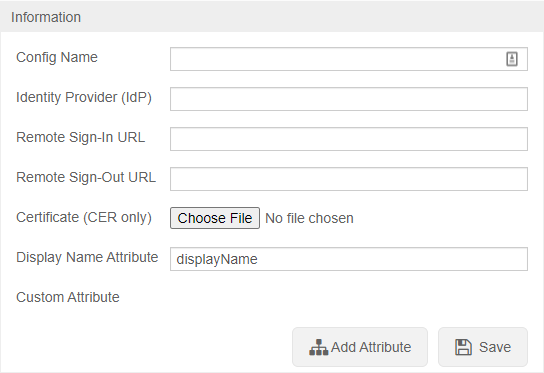
To configure SSO VALT needs the following information:
- Certificate in .cer format
- Identity Provider (IDP)
- Remote Sign-In URL
- Remote Sign-Out URL
- Display Name Attribute
- Any other custom attributes needed
After SSO is configured browse to https://<Server Address>/saml/metadata.xml to grab the VALT metadata to add to your system
User Mapping
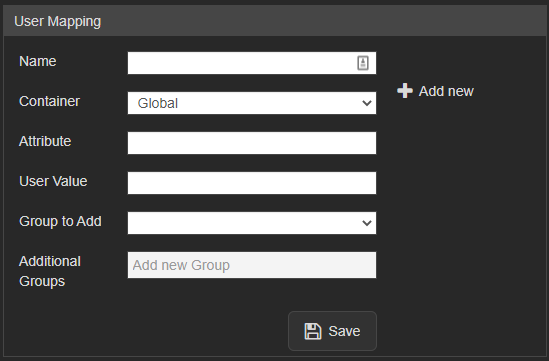
User mapping is used to map groups in the customer's system to groups within VALT
✎
NOTE: SSO in VALT is a one to one mapping for groups
Required:
- Attribute
- The item that gets passed back to VALT
- User Value
- The value of the item that gets passed back to VALT