Enable SSL: Difference between revisions
Jump to navigation
Jump to search
IVSWikiBlue (talk | contribs) Created page with "==== Install SSL Cert signed by a CA ==== # Upload the new certificate file to the VALT appliance prior to selecting this menu option. #: File:Menu41.png # Enter the path..." |
IVSWikiBlue (talk | contribs) No edit summary |
||
| Line 11: | Line 11: | ||
#: ''This should have been provided by your CA. If they did not provide it, just enter the path to the SSL certificate again. If they did not provide a intermediate certificate, you may receive a warning when accessing the VALT application from some browsers.'' | #: ''This should have been provided by your CA. If they did not provide it, just enter the path to the SSL certificate again. If they did not provide a intermediate certificate, you may receive a warning when accessing the VALT application from some browsers.'' | ||
# The certificate will now be installed. | # The certificate will now be installed. | ||
[[Category:SSL]] | |||
[[Category:Cert]] | |||
[[Category:Apache]] | |||
[[Category:HTTPS]] | |||
Revision as of 13:31, 5 May 2022
Install SSL Cert signed by a CA
- Upload the new certificate file to the VALT appliance prior to selecting this menu option.
- Enter the path to the private key file.
- You should have noted this path when you generated the CSR
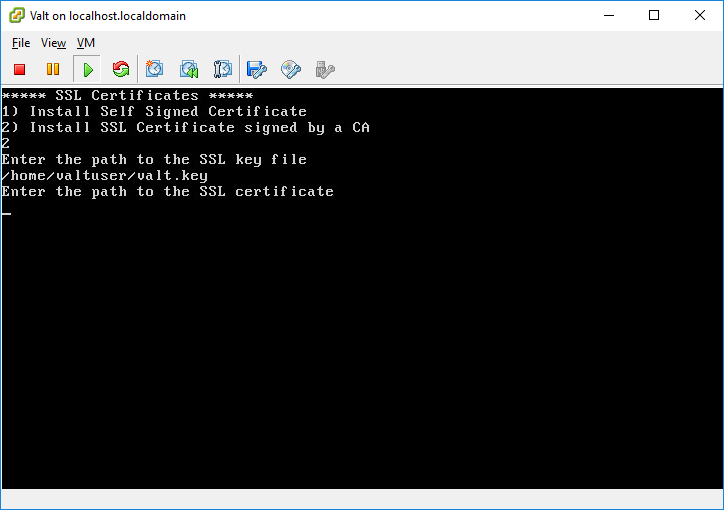
- Enter the path to the SSL Certificate.
- This should be the location and file name where you uploaded the certificate to the VALT appliance.
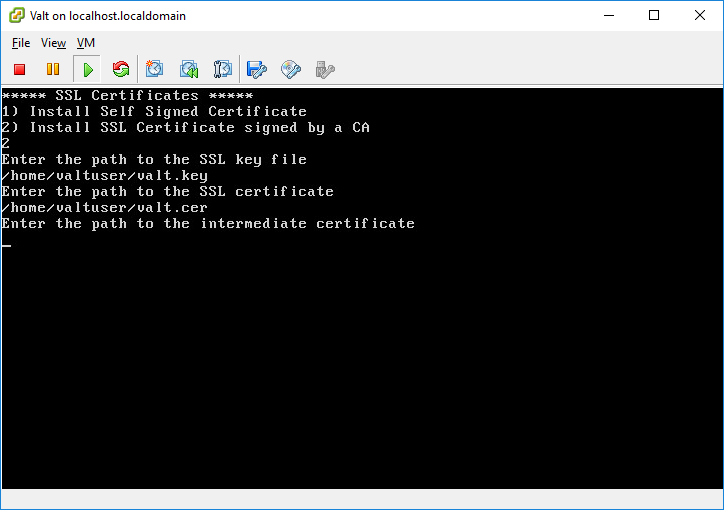
- Enter the path to the intermediate certificate.
- This should have been provided by your CA. If they did not provide it, just enter the path to the SSL certificate again. If they did not provide a intermediate certificate, you may receive a warning when accessing the VALT application from some browsers.
- The certificate will now be installed.


