Difference between revisions of "IVS Wiki:VALT Permissions - Specifiactions"
IVSWikiBlue (talk | contribs) |
IVSWikiBlue (talk | contribs) |
||
| Line 146: | Line 146: | ||
{{Section | title = Sample of Schedule Rights {{Float | content = {{img - icon | file = Schedule.png | width = 18px}} }}| content = | {{Section | title = Sample of Schedule Rights {{Float | content = {{img - icon | file = Schedule.png | width = 18px}} }}| content = | ||
| − | {{Level 1 Custom | icon = {{Checkbox - VALT}} | name = <strong>Add</strong> | text = Grants | + | {{Level 1 Custom | icon = {{Checkbox - VALT}} | name = <strong>Add</strong> | text = Grants the ability to create both one time and recurring schedules}} |
| − | {{Level 1 Custom | icon = {{Checkbox - VALT}} | name = <strong>Copy</strong> | text = Grants | + | {{Level 1 Custom | icon = {{Checkbox - VALT}} | name = <strong>Copy</strong> | text = Grants the ability to copy existing schedules}} |
| − | {{Level 1 Custom | icon = {{Checkbox - VALT}} | name = <strong>Delete</strong> | text = Grants the ability | + | {{Level 1 Custom | icon = {{Checkbox - VALT Partial}} | name = <strong>Delete</strong> | text = Grants the ability to delete existing schedules}} |
| − | {{Level 2 Custom | icon = {{Checkbox - VALT}} | name = <strong>All Authors</strong> | text = Grants the ability for a user to | + | {{Level 2 Custom | icon = {{Checkbox - VALT Empty}} | name = <strong>All Authors</strong> | text = Grants the ability for a user to delete the schedules created by other users}} |
| − | {{Level 1 Custom | icon = {{Checkbox - VALT}} | name = <strong>Exceptions</strong> | text = Grants the ability | + | {{Level 1 Custom | icon = {{Checkbox - VALT Empty}} | name = <strong>Exceptions</strong> | text = Grants the ability to create an exception, such as Christmas day, where recurring schedules will not occur}} |
}} | }} | ||
| Line 164: | Line 164: | ||
{{Section | title = Sample of Reports Rights {{Float | content = {{img - icon | file = Reports.png | width = 18px}} }}| content = | {{Section | title = Sample of Reports Rights {{Float | content = {{img - icon | file = Reports.png | width = 18px}} }}| content = | ||
| − | {{Level 1 Custom | icon = {{Checkbox - VALT}} | name = <strong>Add</strong> | text = Grants | + | {{Level 1 Custom | icon = {{Checkbox - VALT}} | name = <strong>Add</strong> | text = Grants the ability to generate new reports}} |
| − | {{Level 1 Custom | icon = {{Checkbox - VALT}} | name = <strong>Edit</strong> | text = Grants | + | {{Level 1 Custom | icon = {{Checkbox - VALT}} | name = <strong>Edit</strong> | text = Grants the ability to edit a report after it has been created}} |
| − | {{Level 1 Custom | icon = {{Checkbox - VALT Empty}} | name = <strong>Delete</strong> | text = Grants the ability | + | {{Level 1 Custom | icon = {{Checkbox - VALT Empty}} | name = <strong>Delete</strong> | text = Grants the ability to delete a report once it is created}} |
}} | }} | ||
| Line 178: | Line 178: | ||
{{Section | title = Sample of Settings Rights {{Float | content = {{img - icon | file = VALT_Settings.png | width = 18px}} }} | content = | {{Section | title = Sample of Settings Rights {{Float | content = {{img - icon | file = VALT_Settings.png | width = 18px}} }} | content = | ||
| − | {{Level 1 Custom | icon = {{Checkbox - VALT}} | name = <strong>Users & Groups</strong> | text = Grants access | + | {{Level 1 Custom | icon = {{Checkbox - VALT Empty}} | name = <strong>Users & Groups</strong> | text = Grants the ability for the user to administrate users and groups and give access rights}} |
| − | {{Level 1 Custom | icon = {{Checkbox - VALT}} | name = <strong>Templates</strong> | text = Grants user | + | {{Level 1 Custom | icon = {{Checkbox - VALT}} | name = <strong>Templates</strong> | text = Grants the ability for a user to configure comment and information templates}} |
| − | {{Level 1 Custom | icon = {{Checkbox - VALT}} | name = <strong>Logs</strong> | text = Grants the ability for | + | {{Level 1 Custom | icon = {{Checkbox - VALT}} | name = <strong>Logs</strong> | text = Grants the ability for the user to view logs from the system}} |
| − | {{Level 1 Custom | icon = {{Checkbox - VALT}} | name = <strong>Help</strong> | text = Grants the ability | + | {{Level 1 Custom | icon = {{Checkbox - VALT Empty}} | name = <strong>Help</strong> | text = Grants the ability to see Help section}} |
}} | }} | ||
}} | }} | ||
Revision as of 16:53, 1 June 2026
Access Control


The VALT Software is compromised of 6 main sections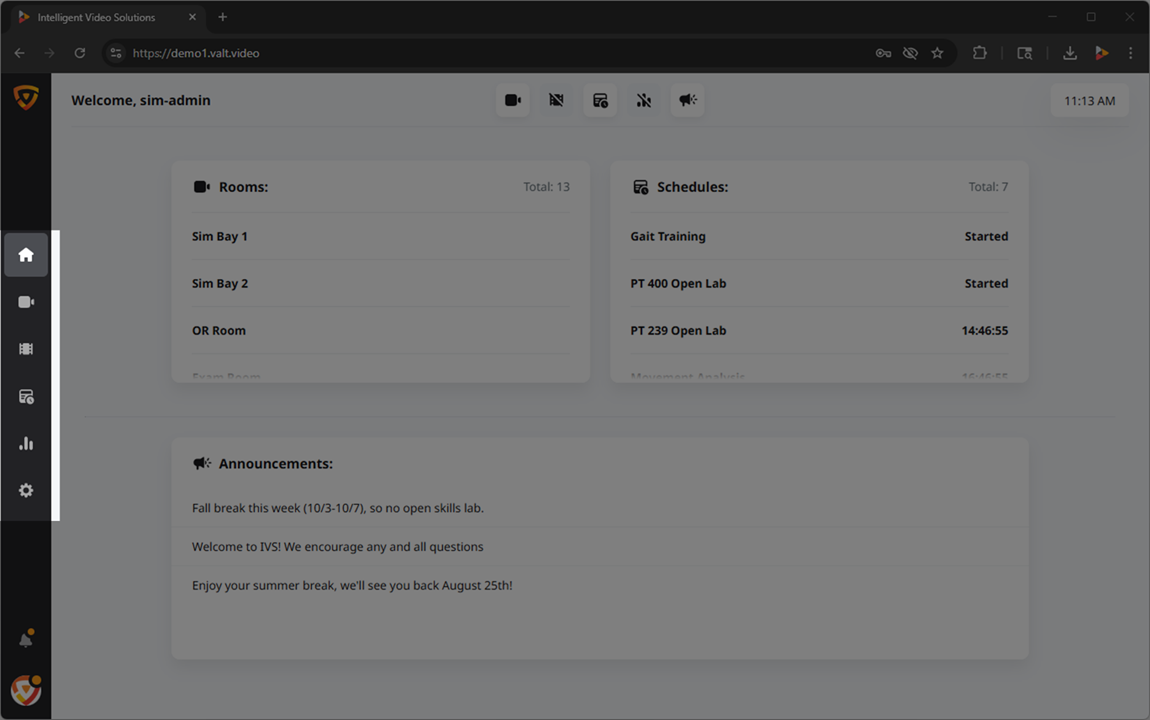 🖼️.
🖼️.
Access to these sections, and their associated features, can be controlled at two distinct levels within the software: the group level and the user level.
Outside of the core 6 sections found within the main navigation, there are two additional permissions that can be revoked or granted.
Role Management
User Groups
At the core of our permission structure, the majority of access is defined at the group level. By establishing permission settings at this level, you can streamline management and ensure consistent access controls for users within the same group.
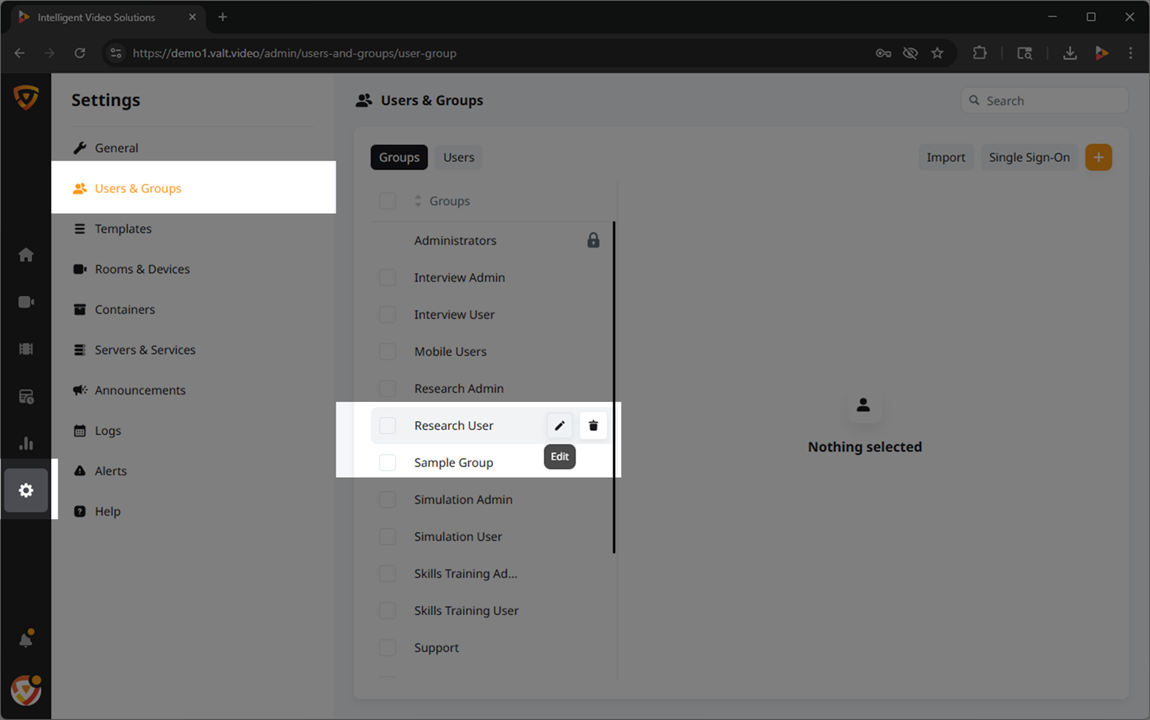
Users
Rights defined at the group level are automatically inherited by the individual users assigned to those groups, simplifying the administration of rights.
In addition to the group-level rights, our software allows for further customization at the individual user level. This means that specific access rights can be fine-tuned to cater to unique requirements, providing an extra layer of control over user privileges.
Rights
How They're Applied
- Group-Level
- Here are lists of the rights
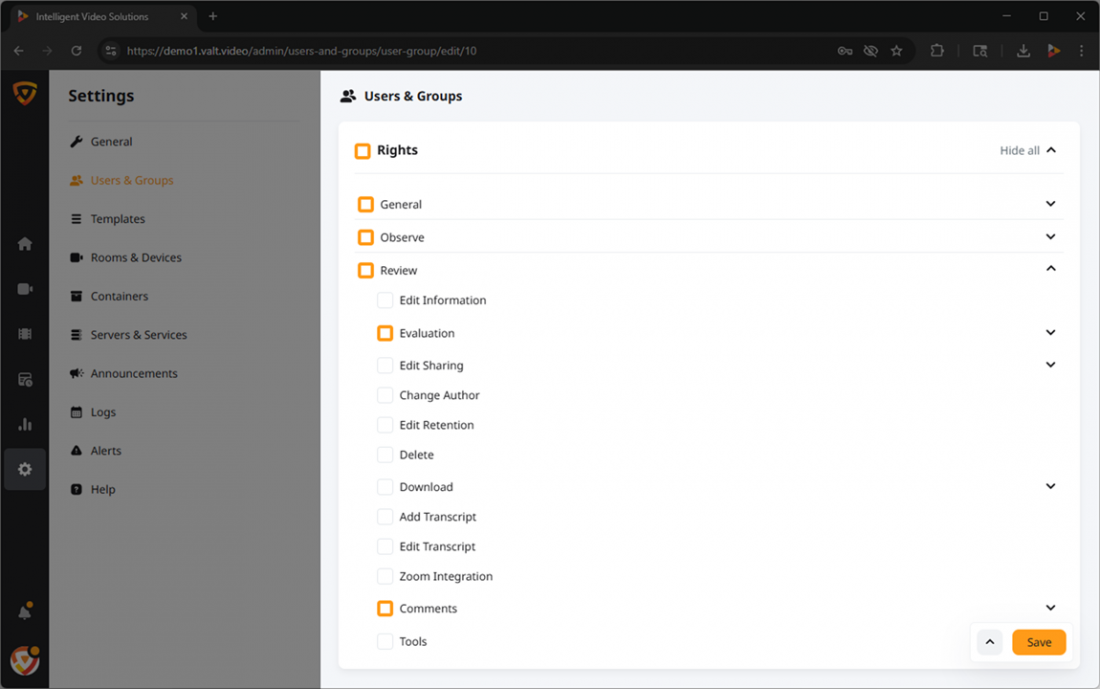 🖼️ within VALT and the corresponding access they grant. The chart below illustrates whether each permission can be configured at the group level, user level, or both.
 - User-Level Override
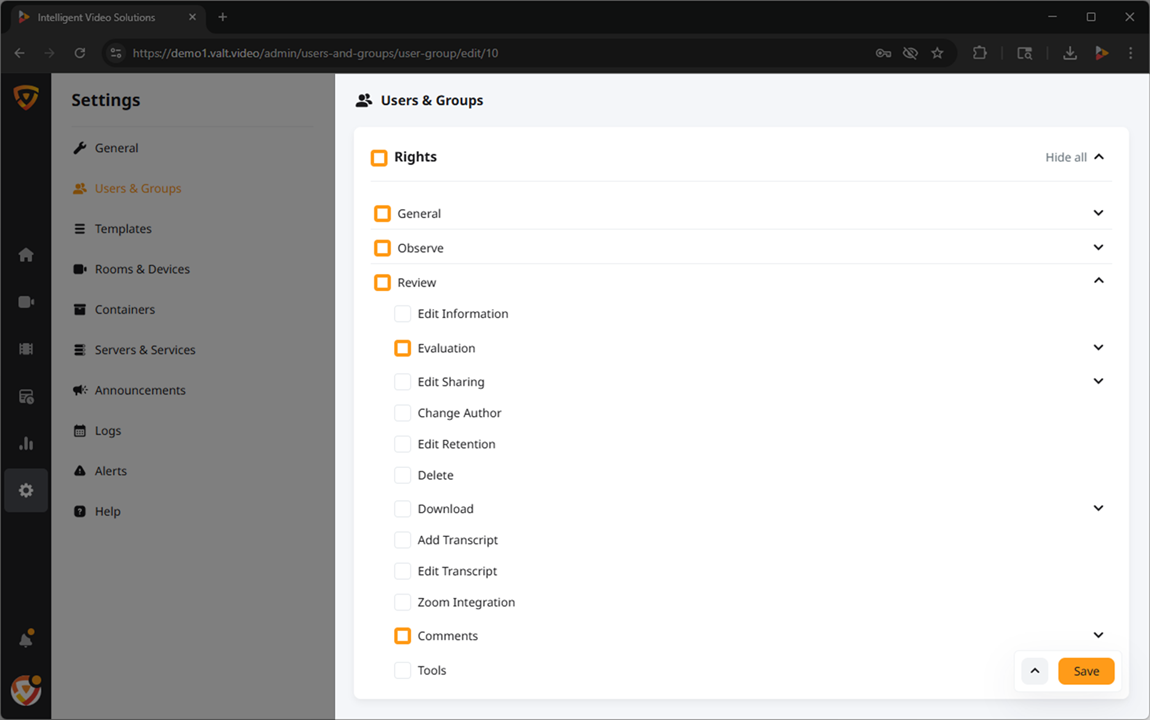
- While permissions are primarily configured at the group-level, additional permissions can be granted at the user-level.
✎Permissions can only be granted at this level. Permissions are revoked at the group-level.
Available Rights
- General
-
Grants access to the features within the General section.
🕮This section applies to buttons or notifications that are system wide.
- Observe
- This section of the software is used to view live sessions and create recordings.

- Review
- This section of the software is used to view previously recorded sessions, update metadata, download, and delete existing videos.

- Schedule
- This section of the software is used to schedule recordings that will take place on a specific date, at a specific time, and will last for a fixed duration.

- Reports
- Allows users to generate simple statistical reports about usage of the VALT system.

- Settings
- Grants the ability for a user to view general system statistics including software version, licenses, and storage amount.

