Template:Connect the Microphone Verifact A: Difference between revisions
Jump to navigation
Jump to search
IVSWikiBlue (talk | contribs) |
IVSWikiBlue (talk | contribs) No edit summary |
||
| Line 11: | Line 11: | ||
#Using toggle bolts, secure the microphone. | #Using toggle bolts, secure the microphone. | ||
#: {{img | file = VerifactATileMount.jpg}} | #: {{img | file = VerifactATileMount.jpg}} | ||
[[Category:Louroe Verifact A]] | |||
Latest revision as of 16:58, 24 March 2025
Connecting the Microphone
- Mark center of the ceiling tile the Verifact A will be mounted on.
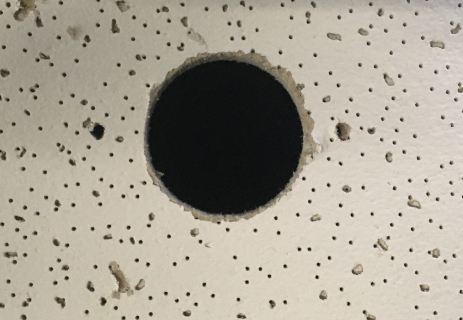
- Using a hole saw, drill a hole at center of the ceiling tile. Feed one end of the the 22/2 cables through the hole.
- Note: Ensure that the hole will be covered by the microphone
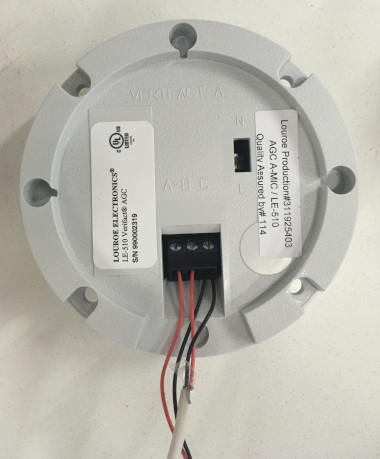
- Strip the jacket off the 22/2, revealing the red, black, and common (bare wire) on both sides of the cable.
- Remove the string and plastic casings covering the red and black cables.
- Strip the red and black jackets off the wire exposing the copper. Cut copper evenly on both ends. Remove ground.
- At the Verifact A, connect the power cable to ports A and C. Connect the audio cable to ports B and C.
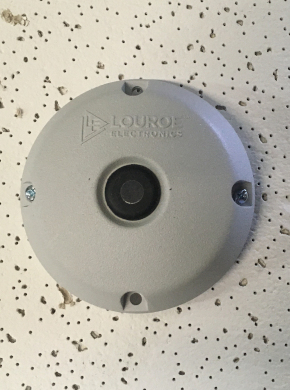
- Using toggle bolts, secure the microphone.