IVS Wiki:VALT Manual: Difference between revisions
Jump to navigation
Jump to search
IVSWikiBlue (talk | contribs) No edit summary |
IVSWikiBlue (talk | contribs) No edit summary |
||
| Line 1: | Line 1: | ||
{{ | {{Article - Manual | content = | ||
{{ | <h1>Introduction</h1> | ||
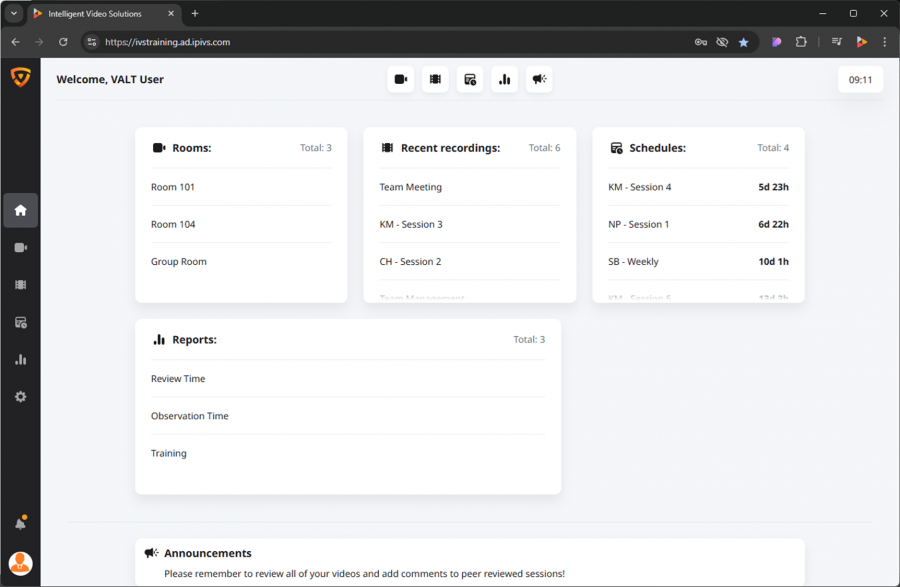
{{ | This page will provide you with quick links to user manuals for your VALT system. Depending on the current version of VALT you are on, you may find certain elements of the VALT application look different. | ||
{{img - icon | file = Homepage.png | width = 16px}} <strong>[[VALT Manual Home| Home]]</strong> | |||
{{Aside - Helpful | content = You can find our current version here: [[Release Notes]].}} | |||
{{img - icon | file = Observe.png | width = 16px}} <strong>[[VALT Manual Observe | Observe]]</strong> | |||
{{img - icon | file = Review.png | width = 16px}} <strong>[[VALT Manual Review | Review]]</strong> | {{Manual lvl 2 | title = VALT 6 | content = | ||
VALT 6 is our latest build of VALT! Here are the user guides for the various tabs you may have access to! | |||
{{img - icon | file = Schedule.png | width = 16px}} <strong>[[VALT Manual Schedule | Schedule ]]</strong> | |||
#{{img - icon | file = Homepage.png | width = 16px}} <strong>[[VALT Manual Home| Home]]</strong> | |||
{{img - icon | file = Reports.png | width = 20px}} <strong>[[VALT Manual Reports | Reports]]</strong> | #{{img - icon | file = Observe.png | width = 16px}} <strong>[[VALT Manual Observe | Observe]]</strong> | ||
}} | #{{img - icon | file = Review.png | width = 16px}} <strong>[[VALT Manual Review | Review]]</strong> | ||
#{{img - icon | file = Schedule.png | width = 16px}} <strong>[[VALT Manual Schedule | Schedule ]]</strong> | |||
#{{img - icon | file = Reports.png | width = 20px}} <strong>[[VALT Manual Reports | Reports]]</strong> | |||
}} | |||
{{img - no click| file = VALT 6.3 Manual-Home 00.png | width = 900px}} | {{img - no click| file = VALT 6.3 Manual-Home 00.png | width = 900px}} | ||
}} | }} | ||
Revision as of 13:52, 14 March 2025
Introduction
This page will provide you with quick links to user manuals for your VALT system. Depending on the current version of VALT you are on, you may find certain elements of the VALT application look different.
🕮
You can find our current version here: Release Notes.
VALT 6
VALT 6 is our latest build of VALT! Here are the user guides for the various tabs you may have access to!