Delete Recordings: Difference between revisions
Jump to navigation
Jump to search
IVSWikiBlue (talk | contribs) Created page with "{{Article | title = Delete Recordings | content = {{Aside - Warning | content = Once a video is deleted from VALT, <b>it can't be recovered.</b>}} {{Aside - Helpful | content..." |
IVSWikiBlue (talk | contribs) No edit summary |
||
| Line 1: | Line 1: | ||
{{Article | title = | {{Article | title = Deleting Recordings | content = | ||
{{Aside - Warning | content = Once a video is deleted from VALT, <b>it can't be recovered.</b>}} | {{Aside - Warning | content = Once a video is deleted from VALT, <b>it can't be recovered.</b>}} | ||
{{Aside - Helpful | content = Looking for information on <b>Backups</b>? [[Backups | Click here]].}} | {{Aside - Helpful | content = Looking for information on <b>Backups</b>? [[Backups | Click here]].}} | ||
Revision as of 16:37, 22 November 2024
Deleting Recordings
⚠
Once a video is deleted from VALT, it can't be recovered.
🕮
Looking for information on Backups? Click here.
Overview
In VALT, a user group can be given the ability to delete recordings.
This setting can be found in the group settings under Rights -> Review -> Delete.
Confirmation
⚠
Caution is advised when deleting a video as VALT does not have a recycling bin.
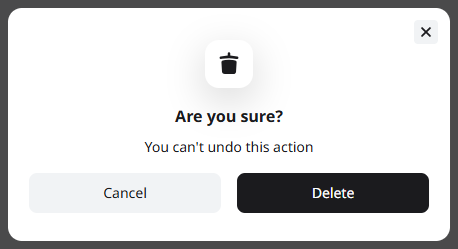
As this action cannot undone, a user will be prompted to confirm the video deletion. Once confirmed, the deletion will take effect immediately.
Still Have Questions?
🕮
Please feel free to contact the IVS Support Team!