Change the ivsadmin password: Difference between revisions
Jump to navigation
Jump to search
IVSWikiBlue (talk | contribs) No edit summary |
IVSWikiBlue (talk | contribs) No edit summary |
||
| Line 1: | Line 1: | ||
{{Article | content = | |||
# Connect to the Valt server via SSH using the ivsadmin account. | # Connect to the Valt server via SSH using the ivsadmin account. | ||
# Type the following command the press enter: <pre>passwd</pre> | # Type the following command the press enter: <pre>passwd</pre> | ||
| Line 6: | Line 7: | ||
# Enter the new password again when prompted. | # Enter the new password again when prompted. | ||
# The password is now changed. | # The password is now changed. | ||
}} | |||
Revision as of 16:49, 10 October 2023
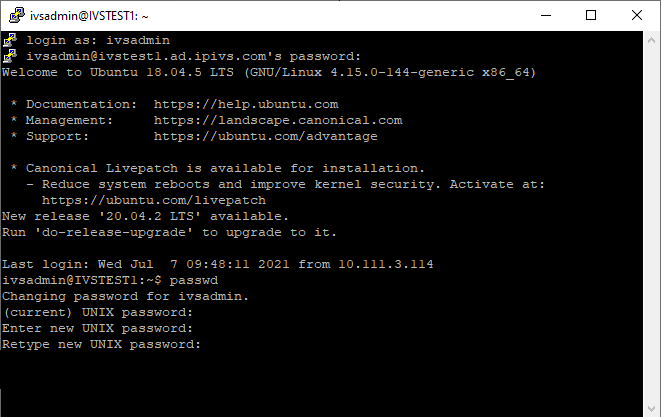
- Connect to the Valt server via SSH using the ivsadmin account.
- Type the following command the press enter:
passwd
- Enter the current password when prompted.
- Enter the new password when prompted.
- Enter the new password again when prompted.
- The password is now changed.