IVS Beam User Interface: Difference between revisions
Jump to navigation
Jump to search
IVSWikiBlue (talk | contribs) No edit summary |
IVSWikiBlue (talk | contribs) No edit summary |
||
| Line 1: | Line 1: | ||
{{Section | content = | |||
::{{img | file = iPad9.PNG | width=600px}} | ::{{img | file = iPad9.PNG | width=600px}} | ||
| Line 19: | Line 20: | ||
|} | |} | ||
:7. ) Touch to place the device into streaming mode. | :7. ) Touch to place the device into streaming mode. | ||
}} | |||
[[IVS BEAM Software User Guide | ⤺ Back to IVS BEAM Software User Guide]] | |||
Revision as of 15:14, 4 August 2023
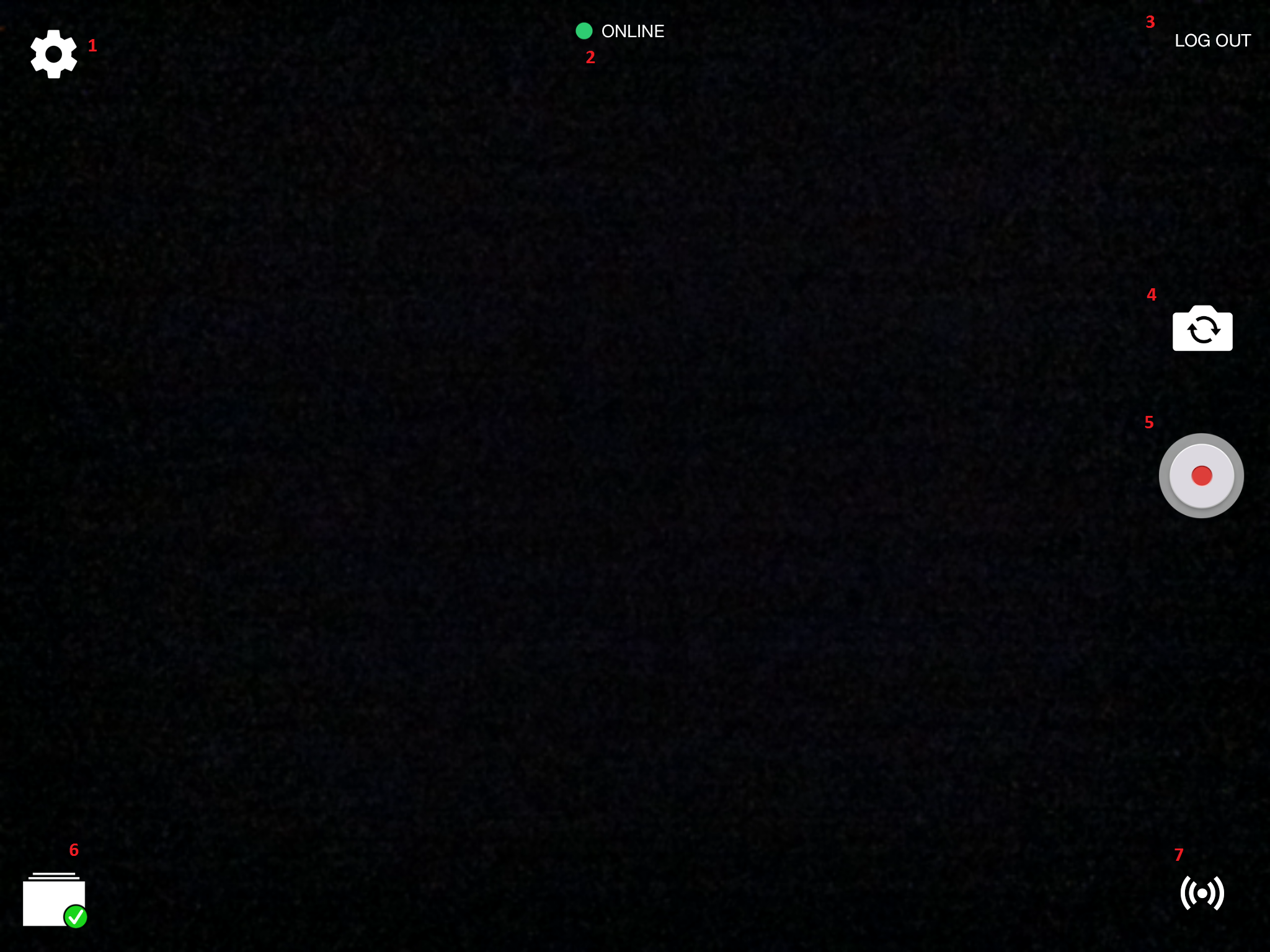
- ) Touch the Gear icon to open the Settings.
- ) Displays the current status of communication with the server.
- ) Touch to Log Out and Log In as another user.
- ) Touch to toggle between the front and rear cameras of your device.
- ) Touch to Start Recording.
- ) Touch to see recordings stored on this device and change Sync Settings.
- {