Training Exercise 4: Difference between revisions
Jump to navigation
Jump to search
IVSWikiBlue (talk | contribs) No edit summary |
IVSWikiBlue (talk | contribs) No edit summary |
||
| Line 11: | Line 11: | ||
==Wiring Diagram== | ==Wiring Diagram== | ||
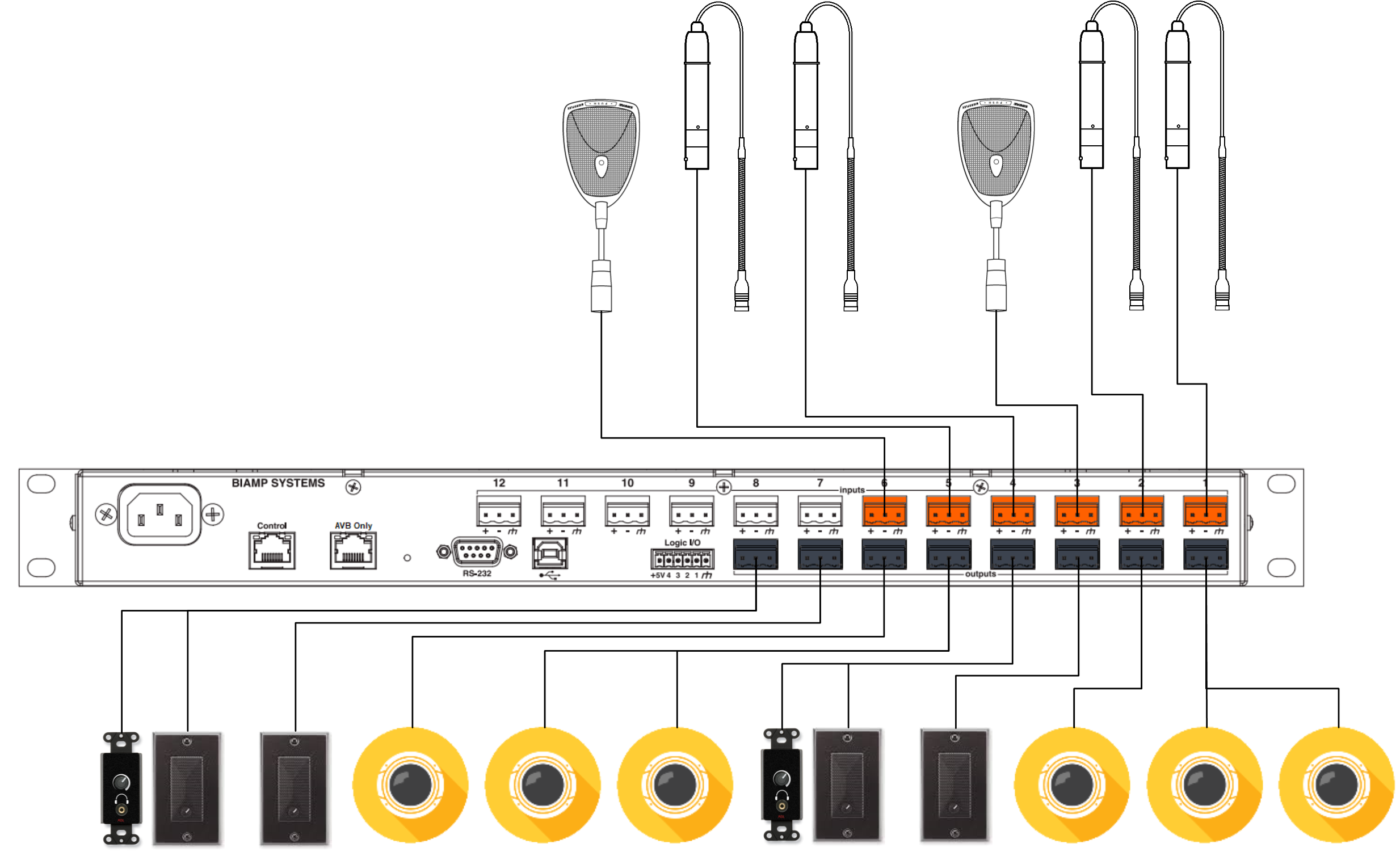
{{Section - Expand | title = Scenario 4 Wiring Diagram | color = #f6c62a | content = {{img - resize | file = 6_by_8_CRAS_2.png}} }} | |||
{{hr}} | {{hr}} | ||
==Tesira Software Config== | ==Tesira Software Config== | ||
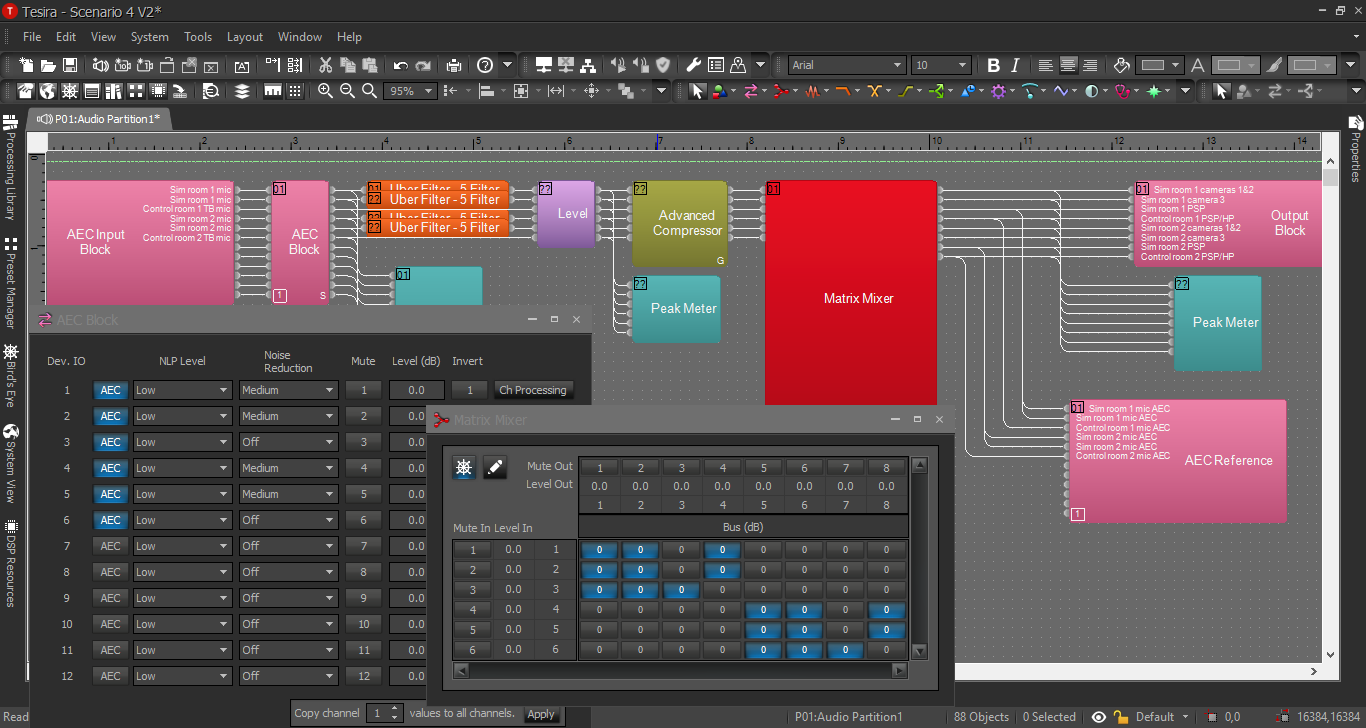
{{Section - Expand | title = Scenario 4 Answer 1 | color = #f6c62a | content = {{img - resize | file = Ex_4.png}} }} | |||
{{Section - Expand | title = Scenario 4 Answer 2 | color = #f6c62a | content = {{img - resize | file = Ex_4_V2B.png}} }} | |||
}} | }} | ||
Revision as of 21:45, 24 March 2025
Description/Objective
This section provides use case scenarios for practice purposes. Given the scenario below, build a wiring diagram and a Tesira configuration to meet the customer's needs. Then, compare your work with the answers given below. Keep in mind, there may be more than one way to create a configuration.
Use Case Example
This is a nursing sim lab with 2 rooms, with adjacent control rooms. Each pair of rooms has a live CRAS solution. The sim rooms each have 2 MX202 mics, 1 PSP in-wall speaker, and 3 cameras. The control rooms each have an MX393 boundary mic, 1 PSP in-wall speaker, and 1 SHM headphone amp.
Wiring Diagram
Scenario 4 Wiring Diagram
Tesira Software Config
Scenario 4 Answer 1
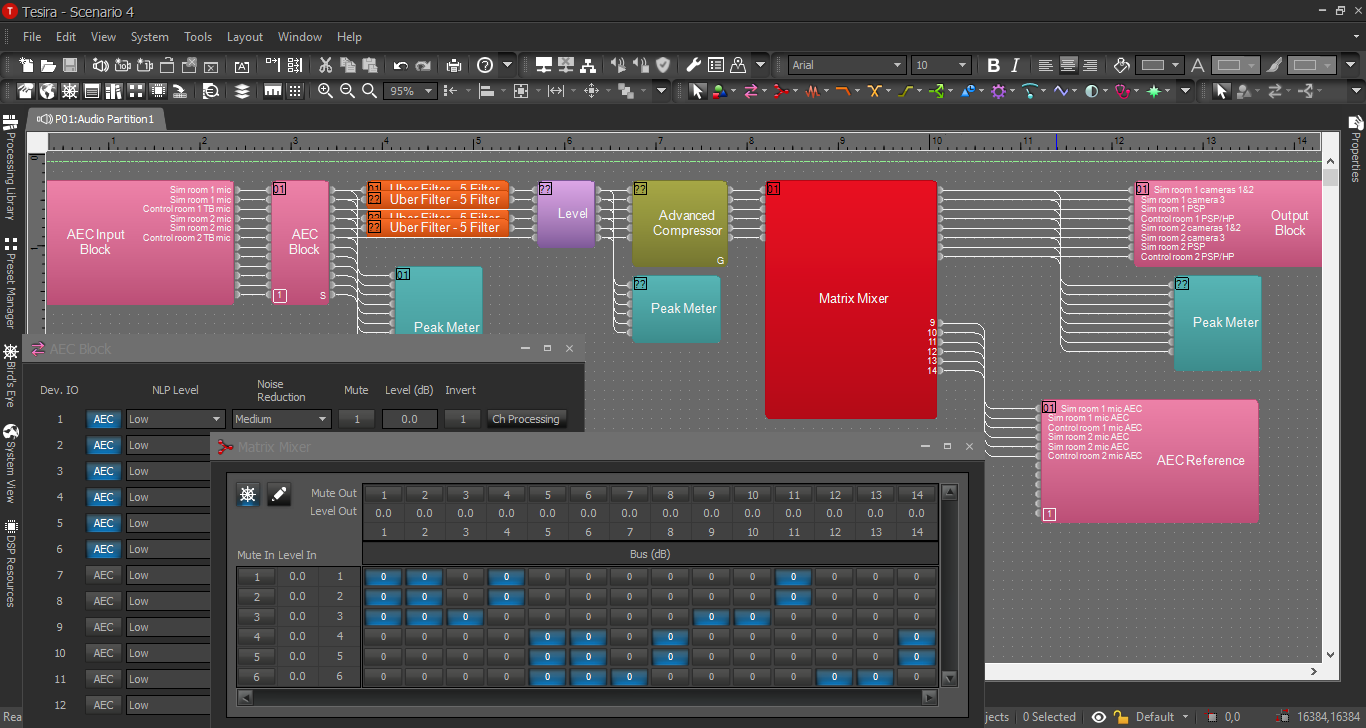
Scenario 4 Answer 2