Template:File Field Description 6.3: Difference between revisions
Jump to navigation
Jump to search
IVSWikiBlue (talk | contribs) Created page with "File fields allow users to upload files to the template. These files will display with a video as an attached file in the information template. Users will be prompted to downl..." |
IVSWikiBlue (talk | contribs) No edit summary |
||
| Line 1: | Line 1: | ||
File fields allow users to upload files to the template. These files will display with a video as an attached file in the information template. Users will be prompted to download the file when trying to access it. | File fields allow users to upload files to the template. These files will display with a video as an attached file in the information template. Users will be prompted to download the file when trying to access it. | ||
< | |||
<center>{{img | file = VALT 6.3 Manual-Observe File.png}}</center> | |||
Allowed file types will be listed within your VALT system. Some of the allowed file types include <em>(but are not limited to)</em>: | Allowed file types will be listed within your VALT system. Some of the allowed file types include <em>(but are not limited to)</em>: | ||
*.pdf | *.pdf | ||
Revision as of 16:27, 10 March 2025
File fields allow users to upload files to the template. These files will display with a video as an attached file in the information template. Users will be prompted to download the file when trying to access it.
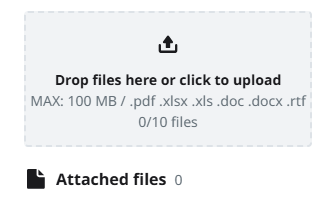
Allowed file types will be listed within your VALT system. Some of the allowed file types include (but are not limited to):
- .xlsx
- .doc
✎
The max file size will be listed, when uploading files.