IVS BEAM File Synchronization: Difference between revisions
Jump to navigation
Jump to search
IVSWikiBlue (talk | contribs) No edit summary |
IVSWikiBlue (talk | contribs) No edit summary |
||
| Line 1: | Line 1: | ||
{{Section | content = | |||
{{img | file = iPad14.PNG | width=900px}} | |||
<hr> | |||
This screen will list any recordings that have been made, but not uploaded to the server. These recordings can be deleted by touching the word DELETE. | This screen will list any recordings that have been made, but not uploaded to the server. These recordings can be deleted by touching the word DELETE. | ||
| Line 6: | Line 8: | ||
In the upper left corner of the screen, the current sync settings are displayed. Touch it to toggle sync on and off. | In the upper left corner of the screen, the current sync settings are displayed. Touch it to toggle sync on and off. | ||
<table class="simple_table"> | |||
<tr> | |||
<td style="width: 150px;">Turn Auto Sync Off</td> | |||
<td>Automatic Sync is currently <strong>enabled.</strong> Touch to disable.</td> | |||
</tr> | |||
<tr> | |||
<td>Turn Auto Sync On</td> | |||
<td>Automatic Sync is currently <strong>disabled.</strong> Touch to enable.</td> | |||
</tr> | |||
</table> | |||
Touch the '''X''' in the upper right corner to return to the main UI. | Touch the '''X''' in the upper right corner to return to the main UI. | ||
}} | |||
[[IVS BEAM Software User Guide | ⤺ Back to IVS BEAM Software User Guide]] | |||
Revision as of 15:27, 4 August 2023
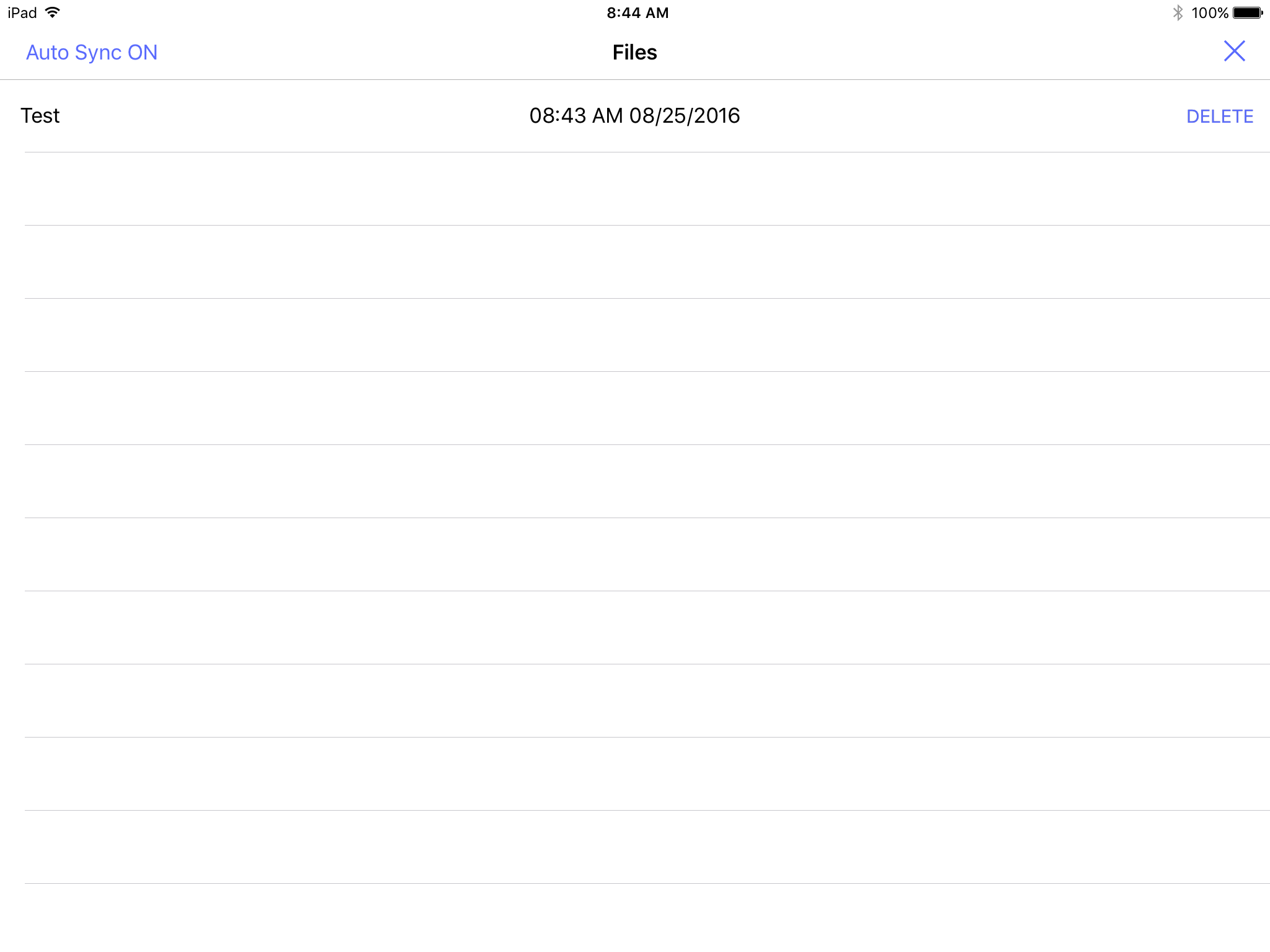
This screen will list any recordings that have been made, but not uploaded to the server. These recordings can be deleted by touching the word DELETE.
In the upper left corner of the screen, the current sync settings are displayed. Touch it to toggle sync on and off.
| Turn Auto Sync Off | Automatic Sync is currently enabled. Touch to disable. |
| Turn Auto Sync On | Automatic Sync is currently disabled. Touch to enable. |
Touch the X in the upper right corner to return to the main UI.