BEAM Navigation: Difference between revisions
Jump to navigation
Jump to search
IVSWikiBlue (talk | contribs) No edit summary |
IVSWikiBlue (talk | contribs) No edit summary |
||
| Line 6: | Line 6: | ||
<div class="floating_card fit_height" style="width:400px"> | <div class="floating_card fit_height" style="width:400px"> | ||
<ol class="picture_list" style="width:300px"> | <ol class="picture_list" style="width:300px"> | ||
<li><b>Connection Status:</b> </li> | <li><b>Connection Status:</b> Displays the current status of communication with the server.</li> | ||
<li><b>Switch Server:</b> </li> | <li><b>Switch Server:</b> </li> | ||
<li><b>Prepare Recording:</b> </li> | <li><b>Prepare Recording:</b> </li> | ||
<li><b>Flip Camera:</b> </li> | <li><b>Flip Camera:</b> Touch to toggle between the front and rear cameras of your device.</li> | ||
<li><b>Record:</b> </li> | <li><b>Record:</b> Touch to [[IVS Beam Recording|Start Recording]].</li> | ||
<li><b>Stream:</b> </li> | <li><b>Stream:</b> Touch to place the device into streaming mode.</li> | ||
<li><b>Files:</b> </li> | <li><b>Files:</b> Touch to see recordings stored on this device and change [[IVS Beam File Synchronization|Sync Settings]].</li> | ||
</ol></div> | </ol></div> | ||
</div> | </div> | ||
Revision as of 21:31, 13 July 2022
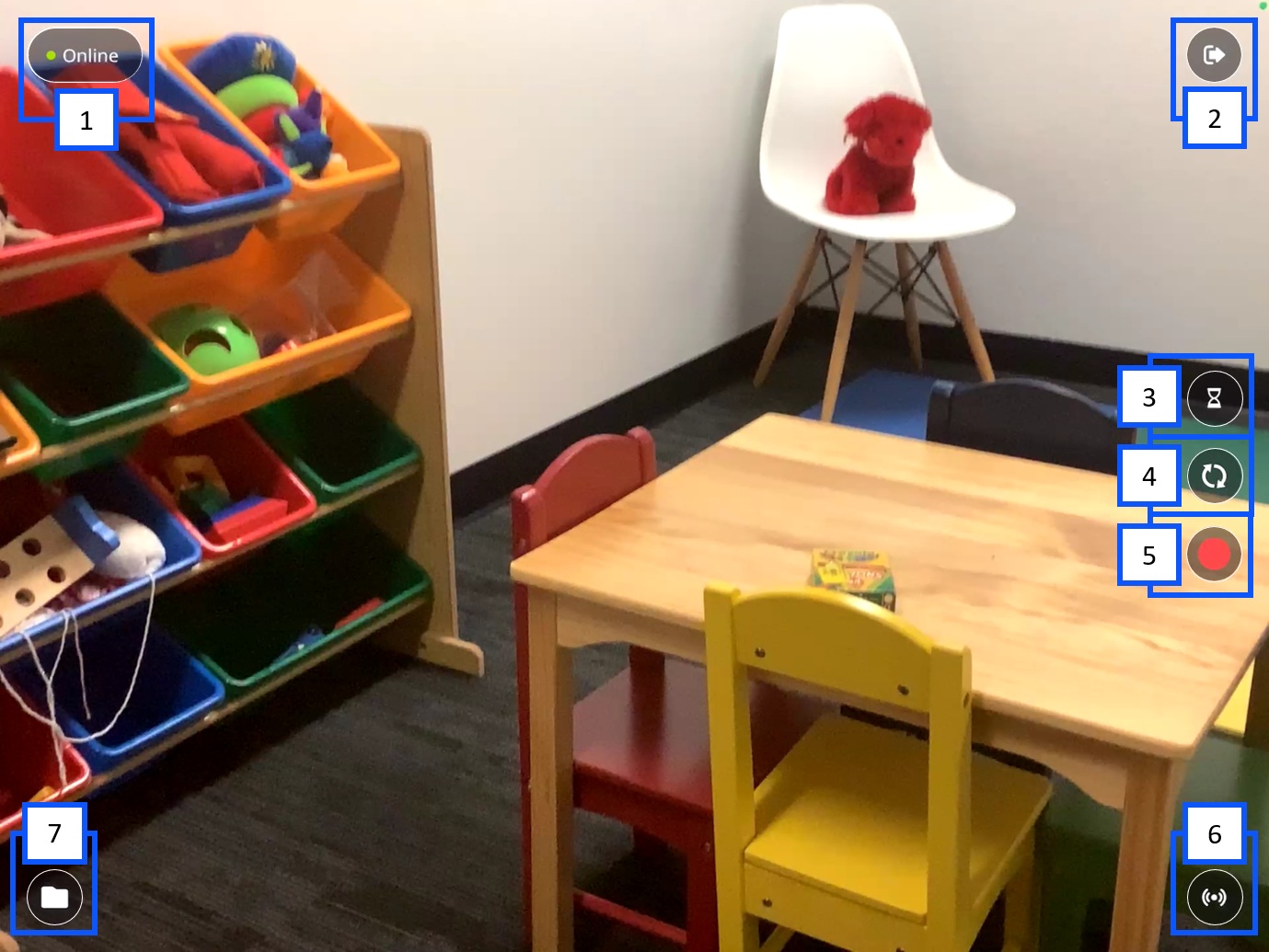
- Connection Status: Displays the current status of communication with the server.
- Switch Server:
- Prepare Recording:
- Flip Camera: Touch to toggle between the front and rear cameras of your device.
- Record: Touch to Start Recording.
- Stream: Touch to place the device into streaming mode.
- Files: Touch to see recordings stored on this device and change Sync Settings.