VALT Privacy Button: Difference between revisions
Jump to navigation
Jump to search
IVSWikiBlue (talk | contribs) No edit summary |
IVSWikiBlue (talk | contribs) No edit summary |
||
| (2 intermediate revisions by the same user not shown) | |||
| Line 1: | Line 1: | ||
{{Article - Manual | content = | {{Article - Manual | content = | ||
{{Float | content = [[VALT Room Controls| ⤺ Back to VALT Room Controls]] }} | |||
<onlyinclude> | <onlyinclude> | ||
<h1>Introduction</h1> | <h1>Introduction</h1> | ||
The <b>VALT Privacy Button</b> is a physical button that can be installed inside of a room that has cameras connected to VALT. This button allows a user to put a mask over the video and mute the audio, at the camera level. To enable and disable this privacy mode, a user must toggle the button. | The <b>VALT Privacy Button</b> is a physical button that can be installed inside of a room that has cameras connected to VALT. This button allows a user to put a mask over the video and mute the audio, at the camera level. To enable and disable this privacy mode, a user must toggle the button. | ||
| Line 14: | Line 13: | ||
</center> | </center> | ||
<hr | {{Top of Page}} | ||
{{hr}} | |||
<h1>Technical Specifications</h1> | |||
<table class="price_sheet_table"> | |||
<tr> | |||
<th colspan="2" style="text-align:left; padding-left: 10px">Technical Specifications</th> | |||
</tr> | |||
<tr> | |||
<td style="width:180px;font-weight: bold">Installation hole diameter:</td> | |||
<td>22MM</td> | |||
</tr> | |||
<tr> | |||
<td style="font-weight: bold">Head shape:</td> | |||
<td>P-flat head</td> | |||
</tr> | |||
<tr> | |||
<td style="font-weight: bold">Contact type:</td> | |||
<td>1NO</td> | |||
</tr> | |||
<tr> | |||
<td style="font-weight: bold">Operation type:</td> | |||
<td>Z-self-locking (Latching)</td> | |||
</tr> | |||
<tr> | |||
<td style="font-weight: bold">LED voltage:</td> | |||
<td>12V-DC12V, 24V-DC24V, custom: 5V-DC5V</td> | |||
</tr> | |||
<tr> | |||
<td style="font-weight: bold">Shell material:</td> | |||
<td>S-stainless steel</td> | |||
</tr> | |||
<tr> | |||
<td style="font-weight: bold">Protection level:</td> | |||
<td>Waterproof IP65 (IP68 customizable; button surface will not work if water is present), anti-collision IK10</td> | |||
</tr> | |||
<tr> | |||
<td style="font-weight: bold">Resistive load:</td> | |||
<td>AC-12:220V:2A DC-13:12V/24V:2A</td> | |||
</tr> | |||
<tr> | |||
<td style="font-weight: bold">Inductive load:</td> | |||
<td>AC-12:110V/220V:0.3A DC-13:12V/24V:0.3A</td> | |||
</tr> | |||
<tr> | |||
<td style="font-weight: bold">Contact resistance:</td> | |||
<td><50mΩ</td> | |||
</tr> | |||
<tr> | |||
<td style="font-weight: bold">LED rated current:</td> | |||
<td><24V,<20mA; >24V,<10mA</td> | |||
</tr> | |||
<tr> | |||
<td style="font-weight: bold">LED life:</td> | |||
<td>>50000h</td> | |||
</tr> | |||
<tr> | |||
<td style="font-weight: bold">Product certified:</td> | |||
<td>CCC, CE, ROHS (customized), REACH (customized)</td> | |||
</tr> | |||
</table> | |||
{{Top of Page}} | |||
{{hr}} | |||
<h1>Physical Connections</h1> | <h1>Physical Connections</h1> | ||
| Line 57: | Line 119: | ||
}} | }} | ||
</onlyinclude> | </onlyinclude> | ||
{{Top of Page}} | |||
}} | }} | ||
Latest revision as of 16:08, 26 March 2026
Introduction
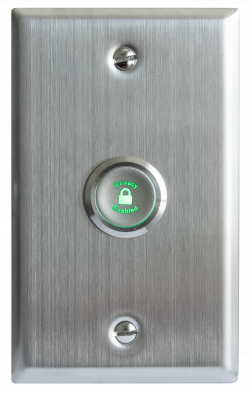
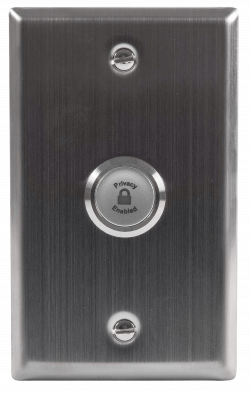
The VALT Privacy Button is a physical button that can be installed inside of a room that has cameras connected to VALT. This button allows a user to put a mask over the video and mute the audio, at the camera level. To enable and disable this privacy mode, a user must toggle the button.
 |
 |
Technical Specifications
| Technical Specifications | |
|---|---|
| Installation hole diameter: | 22MM |
| Head shape: | P-flat head |
| Contact type: | 1NO |
| Operation type: | Z-self-locking (Latching) |
| LED voltage: | 12V-DC12V, 24V-DC24V, custom: 5V-DC5V |
| Shell material: | S-stainless steel |
| Protection level: | Waterproof IP65 (IP68 customizable; button surface will not work if water is present), anti-collision IK10 |
| Resistive load: | AC-12:220V:2A DC-13:12V/24V:2A |
| Inductive load: | AC-12:110V/220V:0.3A DC-13:12V/24V:0.3A |
| Contact resistance: | <50mΩ |
| LED rated current: | <24V,<20mA; >24V,<10mA |
| LED life: | >50000h |
| Product certified: | CCC, CE, ROHS (customized), REACH (customized) |
Physical Connections
Wiring
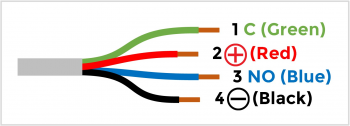
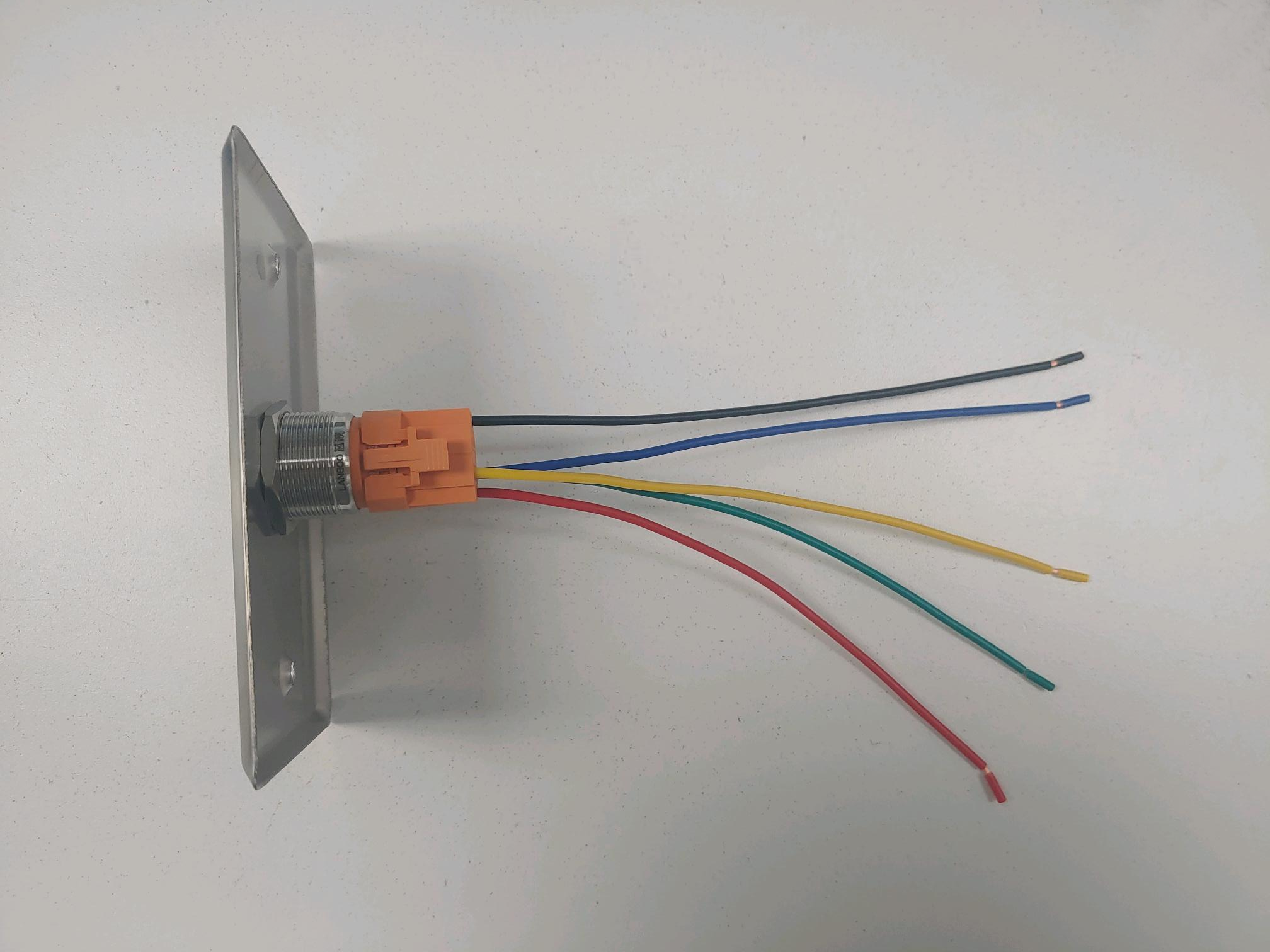
Between the cameras and the privacy button, there are two different cables. The first cable related to this is the one attached to the the physical button.
The physical button wires will look like this:
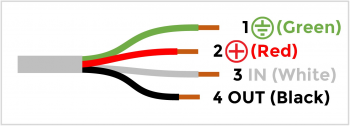
The second cable connection is the cable that will plug directly into the camera.
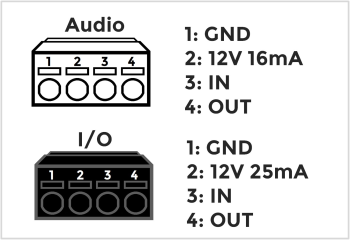
Axis IO Blocks
Of the supported cameras that IVS uses, many of the devices use I/O blocks to connect audio, power, and VALT accessories.