BEAM - Local Storage: Difference between revisions
Jump to navigation
Jump to search
IVSWikiBlue (talk | contribs) No edit summary |
IVSWikiBlue (talk | contribs) No edit summary |
||
| (One intermediate revision by the same user not shown) | |||
| Line 1: | Line 1: | ||
{{Article | title = Local Storage | content = | {{Article - Manual | title = Local Storage | content = | ||
{{Aside - Warning | hue = 50 | content = The BEAM app must be on version 2.4 or newer for this feature.}} | {{Aside - Warning | hue = 50 | content = The BEAM app must be on version 2.4 or newer for this feature.}} | ||
{{img with left key - width | file = beam_storage_and_manual_sync_4.png | width = 800px | {{img with left key - width | file = beam_storage_and_manual_sync_4.png | width = 800px | ||
| Line 23: | Line 23: | ||
{{img - resize | file = beam_storage_and_manual_sync_1.png | width = 800px}} | {{img - resize | file = beam_storage_and_manual_sync_1.png | width = 800px}} | ||
[[BEAM Main Page| ⤺ Back to Main Page]] | |||
}} | }} | ||
[[Category:BEAM]] | |||
[[Category:Admin Training]] | |||
Latest revision as of 14:08, 29 July 2026
⚠
The BEAM app must be on version 2.4 or newer for this feature.
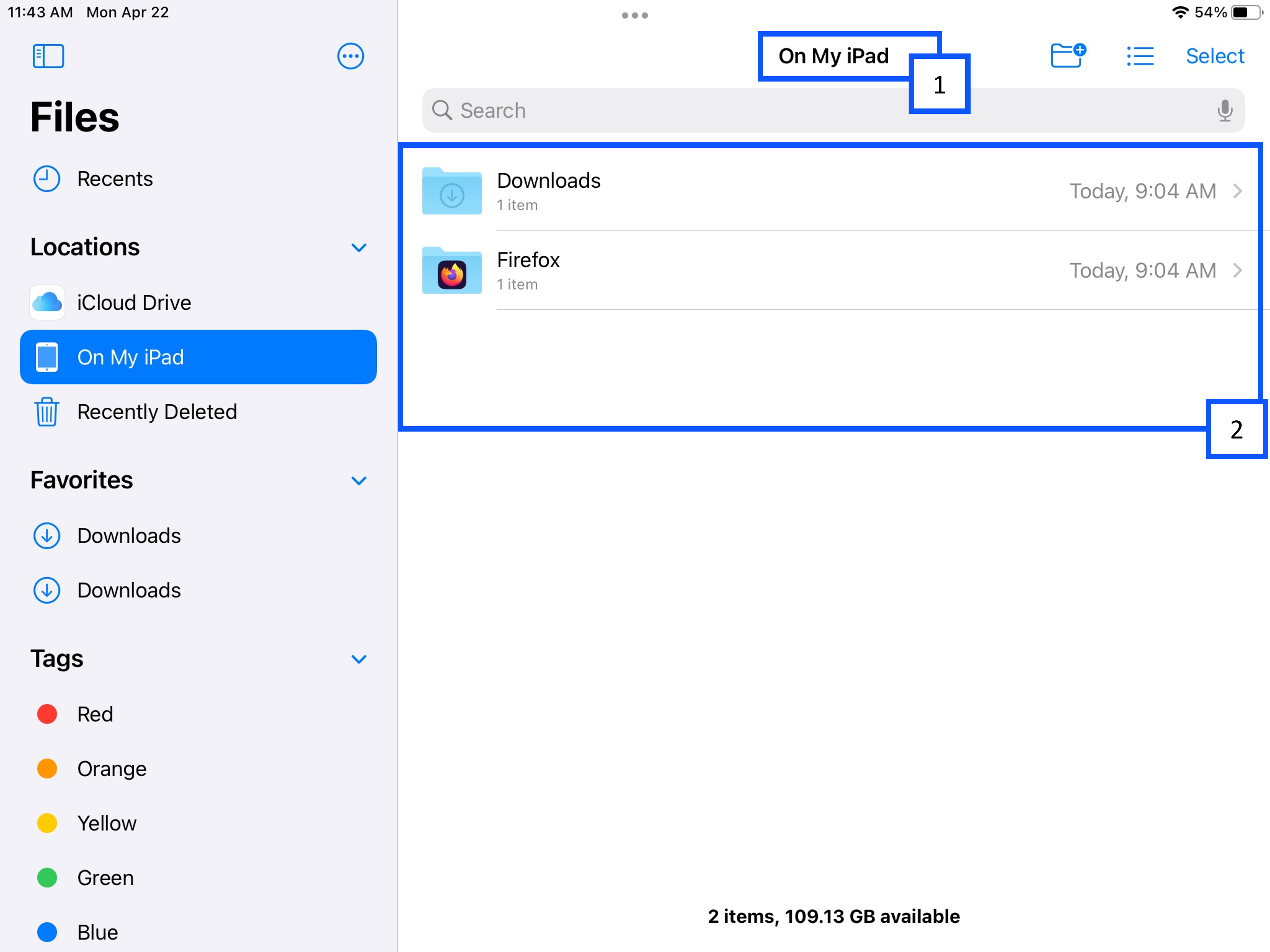
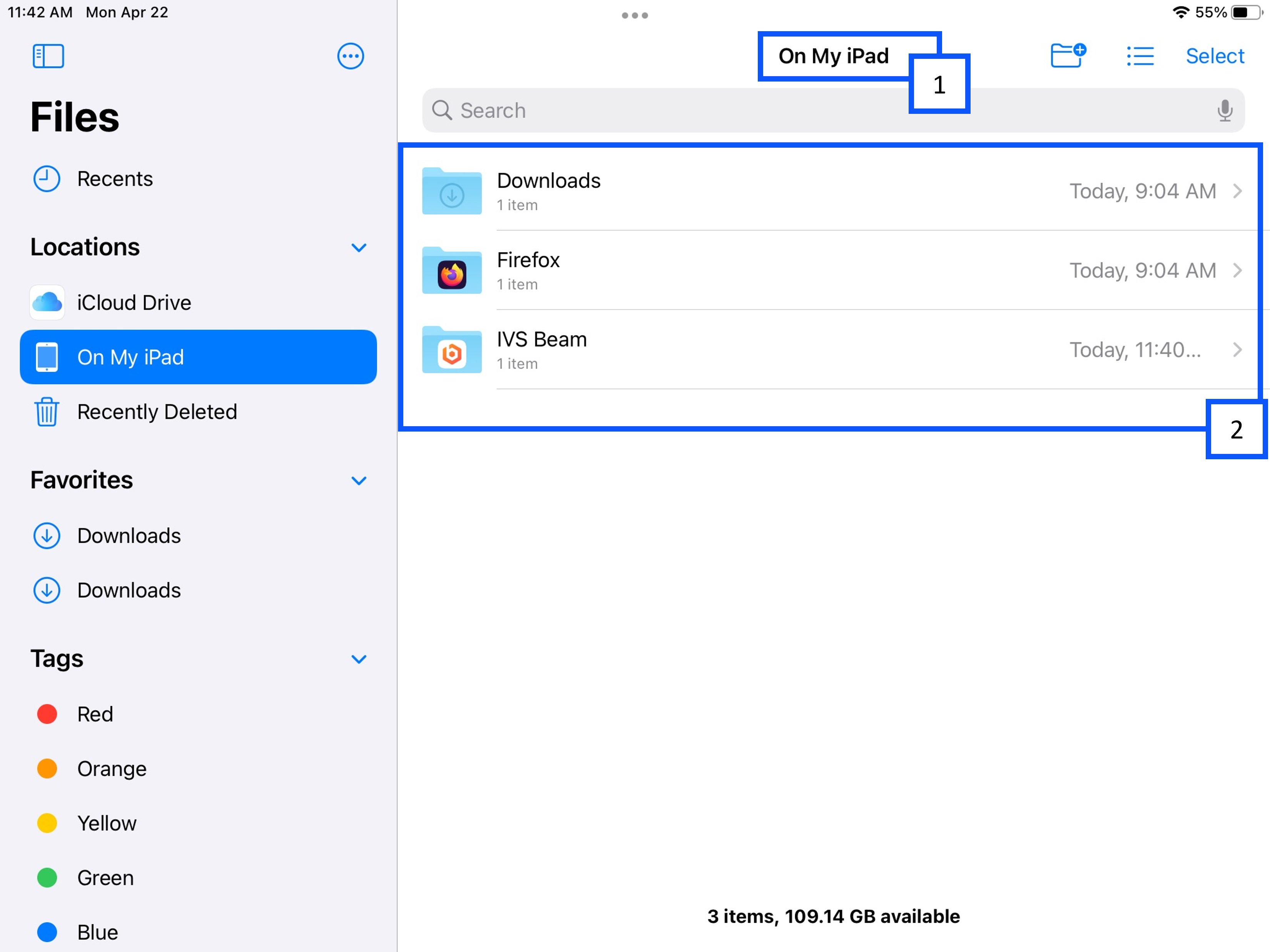
- Go to On My iPad in your file manager.
- You will see a folder for IVS Beam. This is where you will find any videos that are not synced to VALT.
🕮
To learn how to sync your videos to VALT, click here!
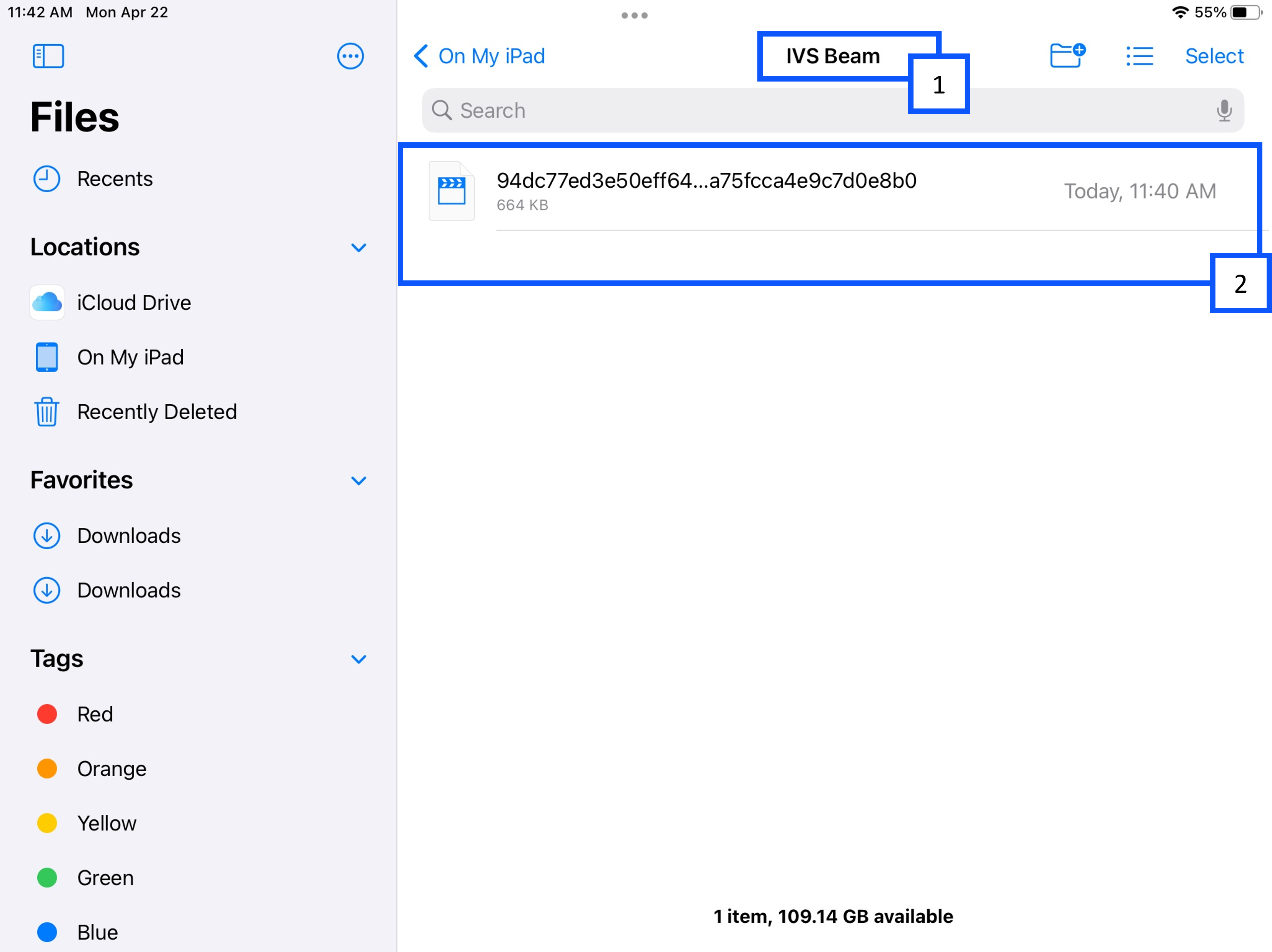
- Once you click on the folder, you will see IVS Beam at the top of the screen.
- You will see the list of videos below.
More Information
🕮
If there are no recordings in the BEAM application, the IVS Beam folder will not appear.