Create a new Ubuntu user: Difference between revisions
Jump to navigation
Jump to search
IVSWikiBlue (talk | contribs) Created page with "# Connect to the Valt server via SSH or via the console using an existing user. # Type the following command the press enter: <pre>sudo adduser username</pre> #: Be sure to re..." |
IVSWikiBlue (talk | contribs) No edit summary |
||
| (3 intermediate revisions by the same user not shown) | |||
| Line 1: | Line 1: | ||
# Connect to the | # Connect to the VALT server via SSH or via the console using an existing user. | ||
# Type the following command the press enter: <pre>sudo adduser username</pre> | # Type the following command the press enter: <pre>sudo adduser username</pre> | ||
#: Be sure to replace the username with the username for your new user. | #: Be sure to replace the username with the username for your new user. | ||
#: {{img | file = user1.png}} | |||
# When prompted, set and confirm the new user's password. | # When prompted, set and confirm the new user's password. | ||
#: {{img | file = user2.png}} | |||
# Accept the default for the users information or enter whatever you chose. This will have no real impact on the new user. | # Accept the default for the users information or enter whatever you chose. This will have no real impact on the new user. | ||
# Review the information and then Enter '''Y''' to accept. | |||
# Type the following command the press enter: <pre>sudo usermod -aG sudo username</pre> | # Type the following command the press enter: <pre>sudo usermod -aG sudo username</pre> | ||
#: {{img | file = user3.png}} | |||
#: Be sure to replace the username with the username for your new user. | #: Be sure to replace the username with the username for your new user. | ||
Latest revision as of 15:03, 11 May 2022
- Connect to the VALT server via SSH or via the console using an existing user.
- Type the following command the press enter:
sudo adduser username
- Be sure to replace the username with the username for your new user.
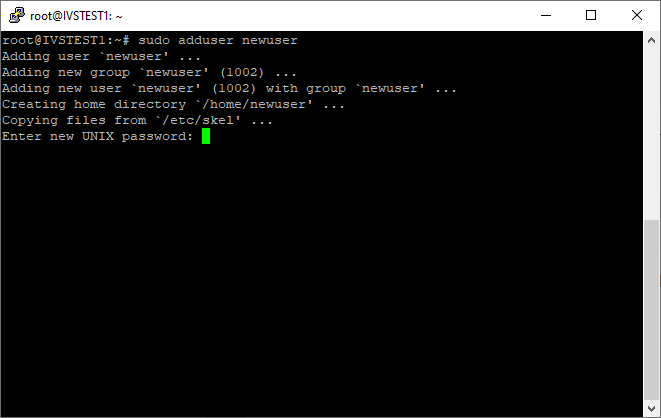
- When prompted, set and confirm the new user's password.
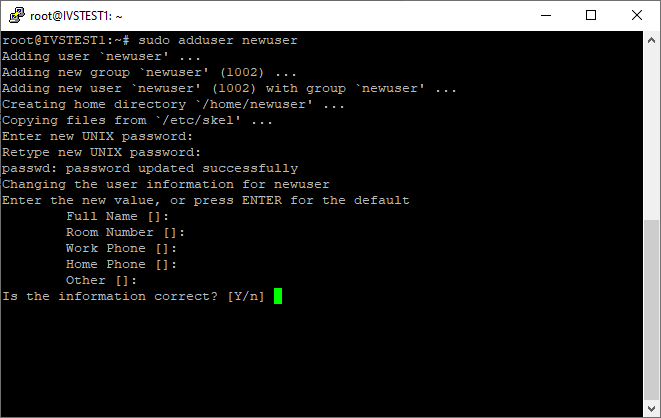
- Accept the default for the users information or enter whatever you chose. This will have no real impact on the new user.
- Review the information and then Enter Y to accept.
- Type the following command the press enter:
sudo usermod -aG sudo username
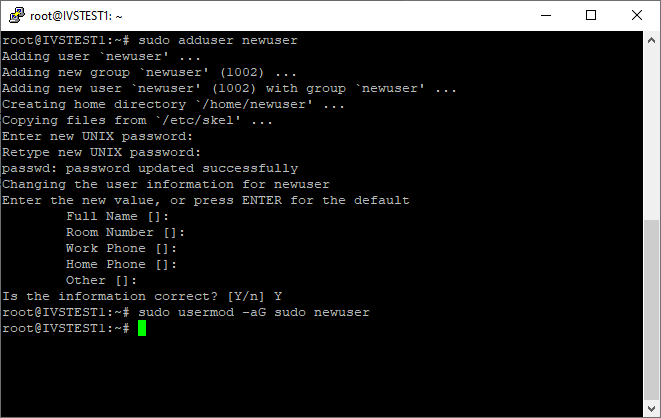
- Be sure to replace the username with the username for your new user.