Devices and Networking: Difference between revisions
Jump to navigation
Jump to search
IVSWikiBlue (talk | contribs) No edit summary |
IVSWikiBlue (talk | contribs) No edit summary |
||
| (17 intermediate revisions by the same user not shown) | |||
| Line 1: | Line 1: | ||
= | {{Article - Manual | content = | ||
<h1>Devices and Networking</h1> | |||
Use the following tools to find IP and System settings and Firmware information. | |||
{{hr}} | |||
== | ==Device Maintenance== | ||
{{img - resize | file = Tesira_Device_Maintenance_2.png}} | |||
#Network settings- click here to set IP's | |||
#Clear configuration- this will need to be done when sending a brand new config to the device | |||
#Update firmware. Plan for this to take between 30-60 minutes. Also update the firmware for any remote devices; this will take about 10 minutes for each device | |||
#System ID for user interface configuration | |||
{{hr}} | |||
==Device Information== | |||
{{img - resize | file = Tesira_Device_Information_2.png}} | |||
# | |||
#System ID for | #Check the current firmware version | ||
#System ID for user interface configuration | |||
{{hr}} | |||
==Network Settings== | |||
{{img - resize | file = Tesira_Network_Settings_2.png}} | |||
#Assign IP’s here | |||
#The Control and AVB ports will each have their own IP's. Switch between Control and AVB here | |||
{{hr}} | |||
==AVB Enable== | |||
{{img - resize | file = Tesira_Device_AVB_Enable.png}} | |||
#If using an AVB switch or any ancillary devices, enable AVB here | |||
}} | |||
[[Category:AVB]] | |||
Latest revision as of 22:15, 24 March 2025
Devices and Networking
Use the following tools to find IP and System settings and Firmware information.
Device Maintenance
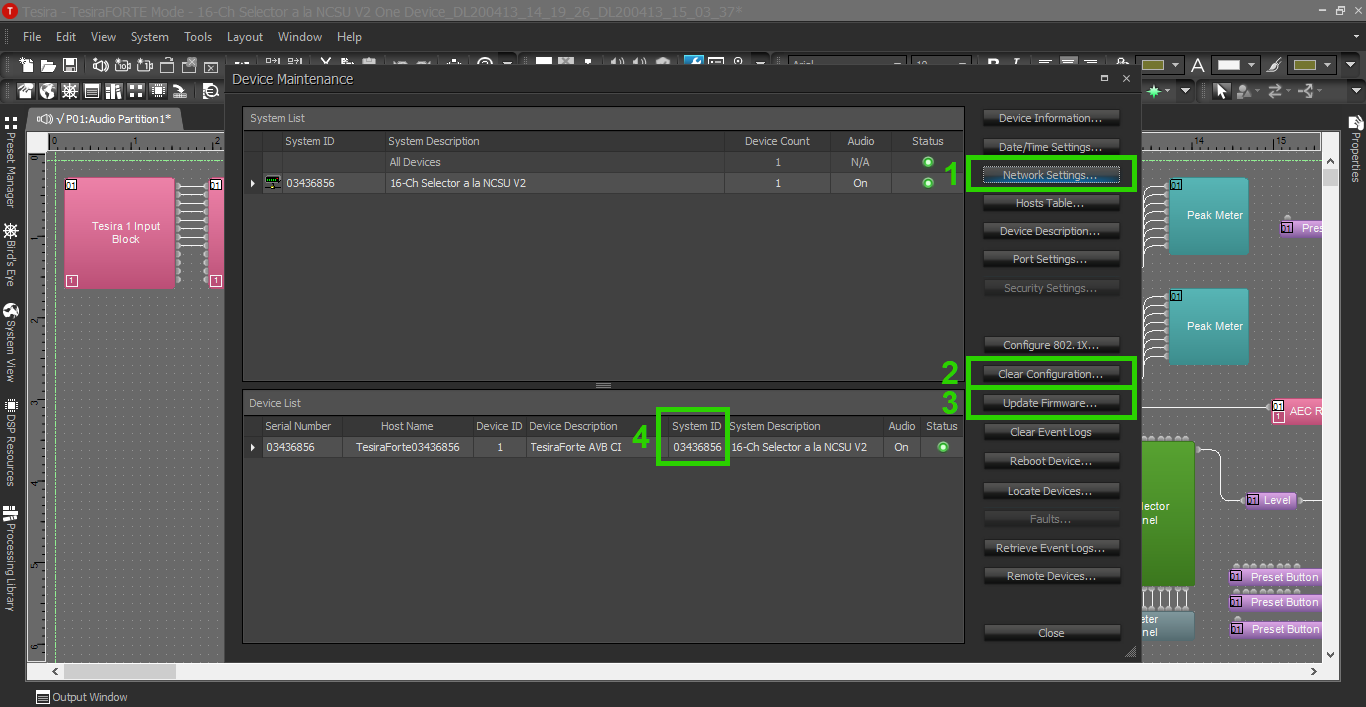
- Network settings- click here to set IP's
- Clear configuration- this will need to be done when sending a brand new config to the device
- Update firmware. Plan for this to take between 30-60 minutes. Also update the firmware for any remote devices; this will take about 10 minutes for each device
- System ID for user interface configuration
Device Information
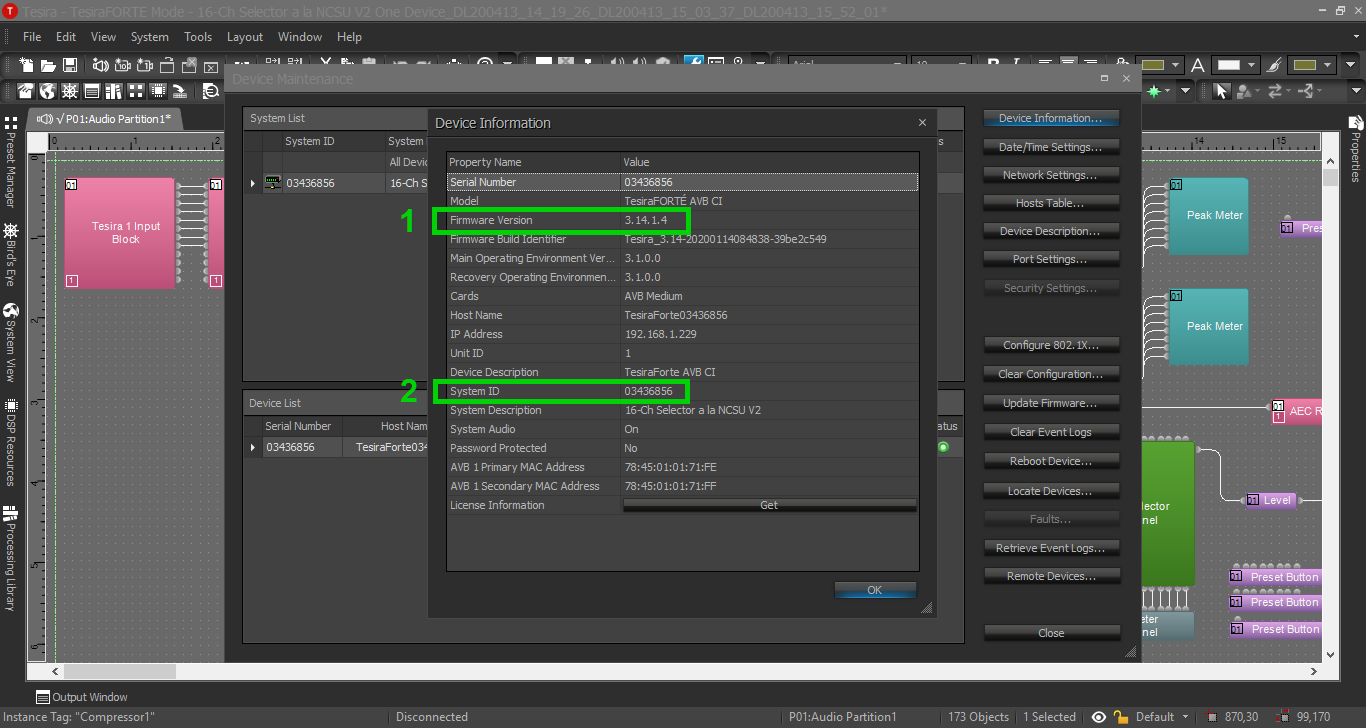
- Check the current firmware version
- System ID for user interface configuration
Network Settings
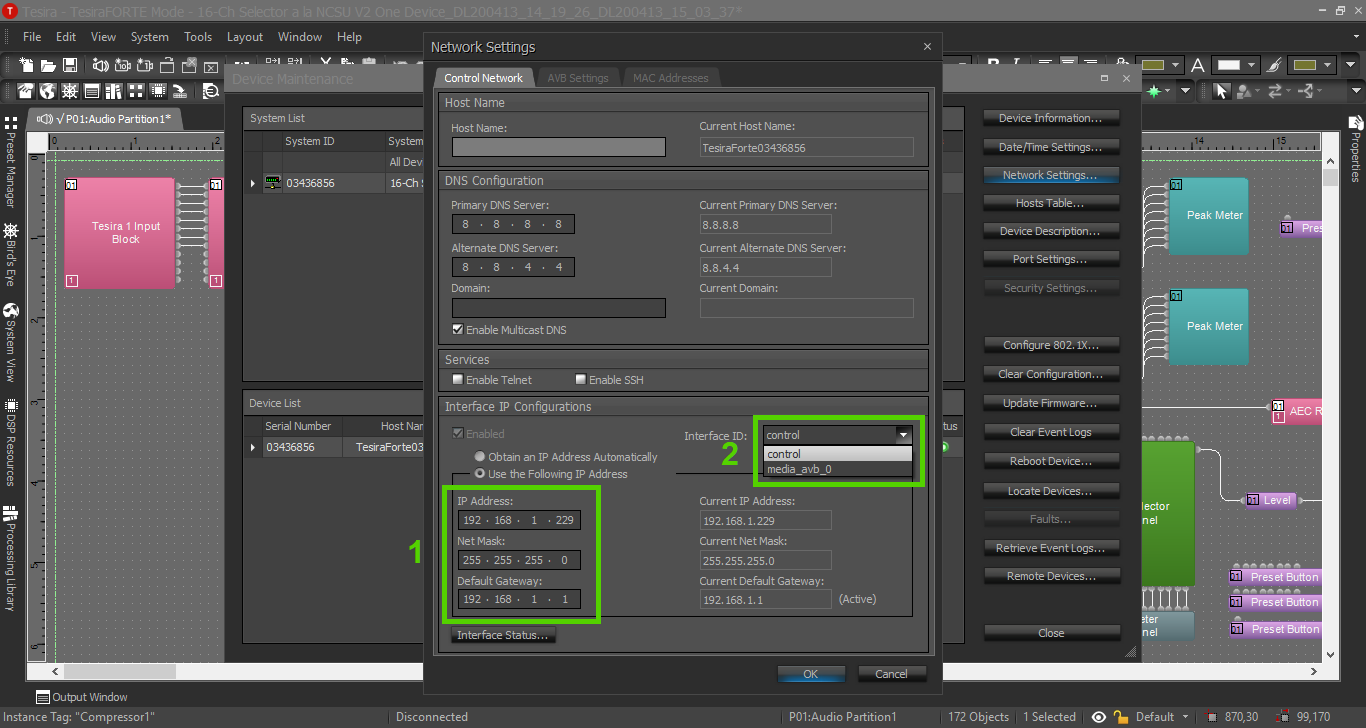
- Assign IP’s here
- The Control and AVB ports will each have their own IP's. Switch between Control and AVB here
AVB Enable
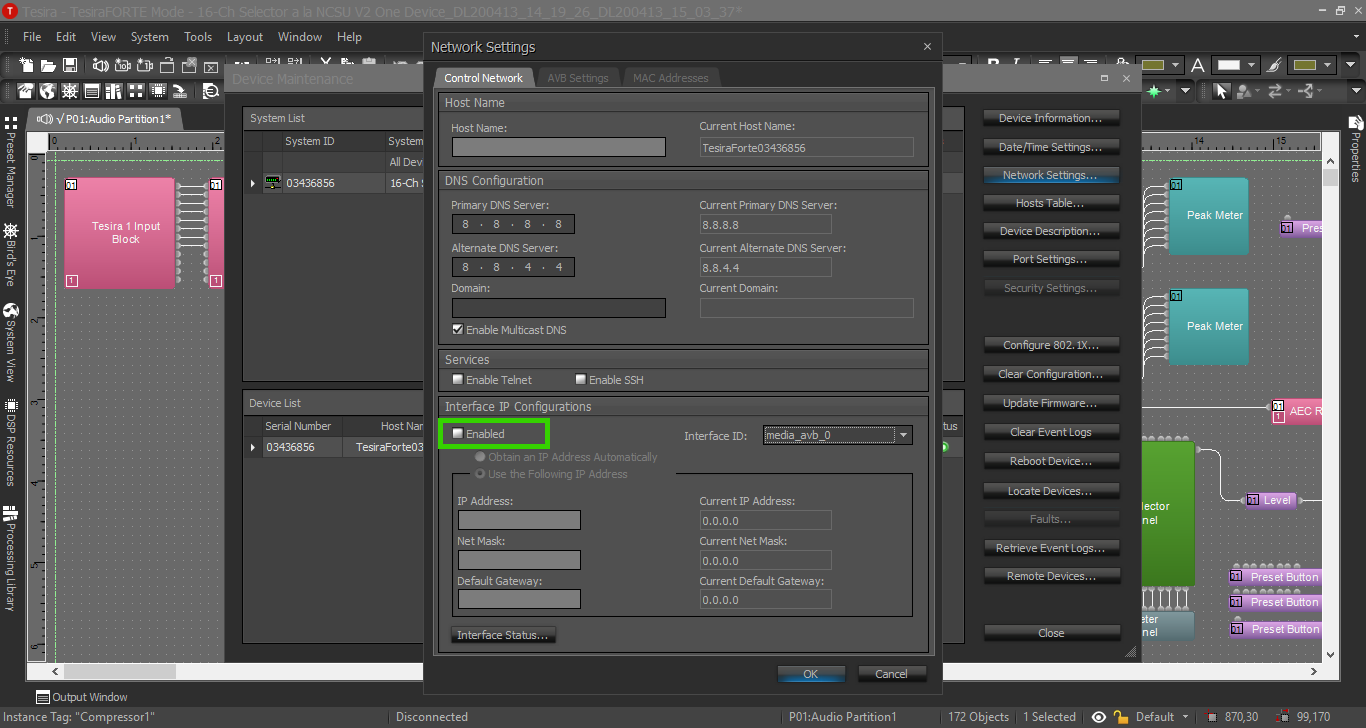
- If using an AVB switch or any ancillary devices, enable AVB here