Output Channel Selector Kit: Difference between revisions
Jump to navigation
Jump to search
IVSWikiBlue (talk | contribs) No edit summary |
IVSWikiBlue (talk | contribs) No edit summary |
||
| Line 37: | Line 37: | ||
==Wiring Diagram== | ==Wiring Diagram== | ||
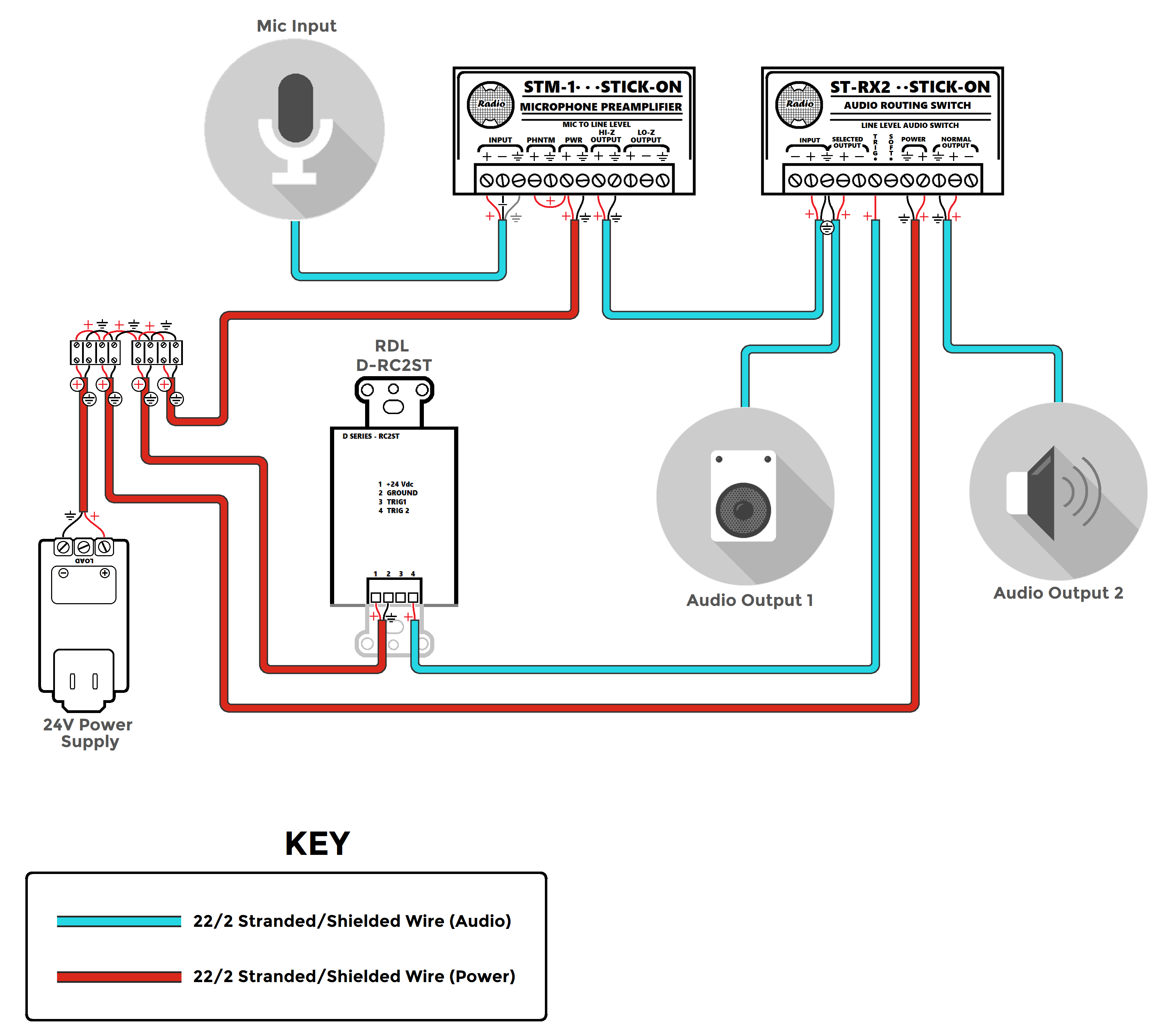
{{img | file = ST-RX2 General Diagram.png | width=1000px}} | {{img | file = ST-RX2 General Diagram.png | width=1000px}} | ||
[[Category:Audio]] | |||
Latest revision as of 18:59, 24 March 2025
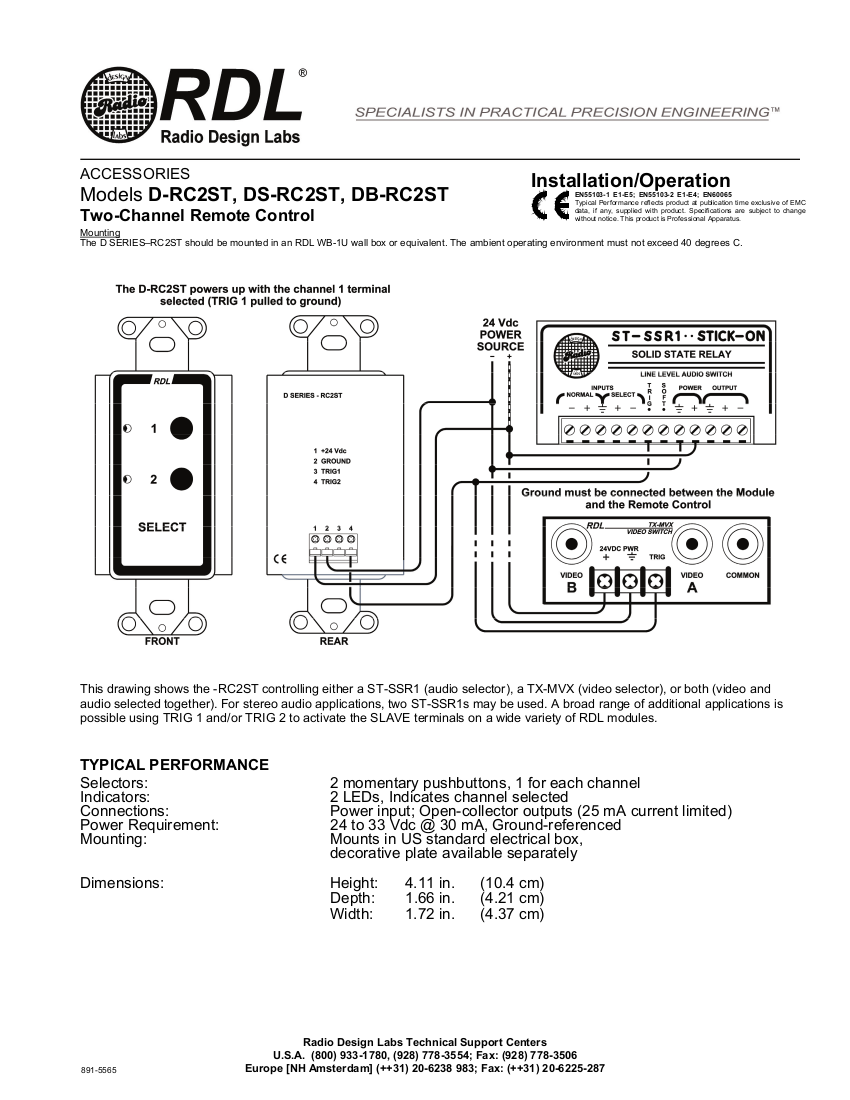
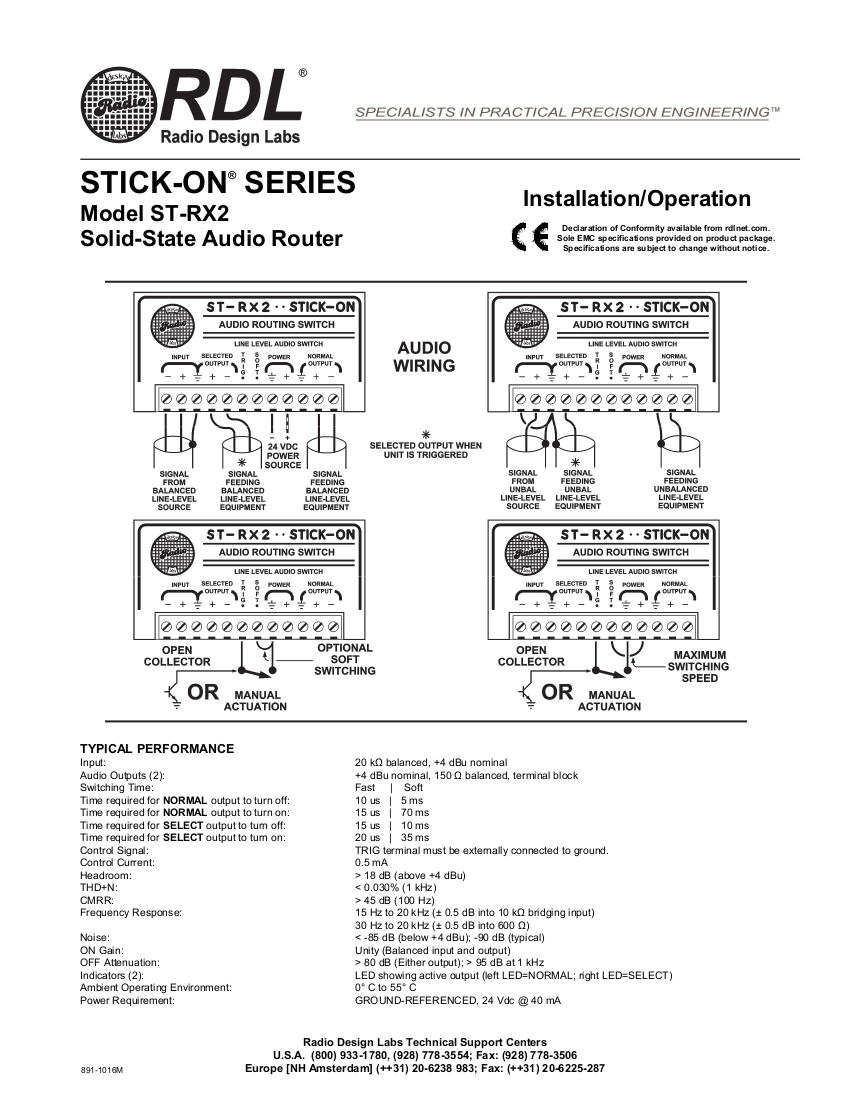
Device Data Sheets
Required Parts and Tools
- RDL ST-RX2
- RDL D-RT2ST
- RDL 24 V power supply
- Stud finder
- Fish tape or Glow Rods
- Drywall Saw
- Small Screwdriver
- Face plate screws
- Shielded Stranded 22/2 + ground Wire
- (1) terminal block
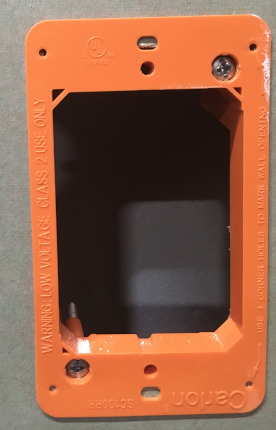
- (1) Single Gang mud ring
- (1) Single gang decorative faceplate
"Note:" If used with Control Room Audio kit, triple gang mud rings will be used
Mounting the Button
- Using a stud finder, scan the mounting location of the DB-RC2ST to ensure the device is not mounted on a stud.
- Using a pencil, mark out where the switching button will be located
- Cut a hole into the drywall, large enough to fit the mud ring into it securely.
- Cut a hole above the drop ceiling to fish lines (if necessary)
- Using fish tape or glow rods, pass three lines of 22/2 behind the drywall, two for signal control and one for power. (shown below)
- Once the lines are ran, mount the selector to the mud ring
- Gently secure the face plate once mounted
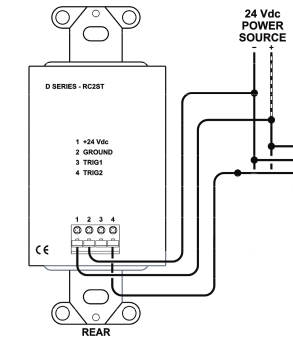
Wiring the ST-RX2
- Determine above the ceiling where the ST-RX2 will be mounted
- Connect the lines ran from the DB-RC2ST as shown
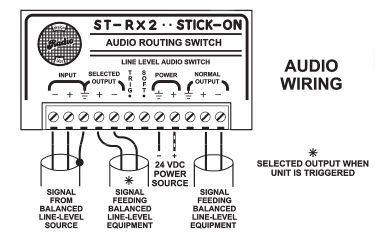
Note: The ST-RX2 and DB-RC2ST will draw from the same power source and can be connected together using a terminal block
Wiring Diagram