IVS Beam User Interface: Difference between revisions
Jump to navigation
Jump to search
IVSWikiBlue (talk | contribs) No edit summary |
IVSWikiBlue (talk | contribs) No edit summary |
||
| Line 2: | Line 2: | ||
::{{img | file = iPad9.PNG | width=600px}} | ::{{img | file = iPad9.PNG | width=600px}} | ||
#) Touch the Gear icon to open the [[Changing Settings on the IVS | #) Touch the Gear icon to open the [[Changing Settings on the IVS BEAM App|Settings]]. | ||
#) Displays the current status of communication with the server. | #) Displays the current status of communication with the server. | ||
#) Touch to '''Log Out''' and '''Log In''' as another user. | #) Touch to '''Log Out''' and '''Log In''' as another user. | ||
Latest revision as of 18:55, 14 March 2025
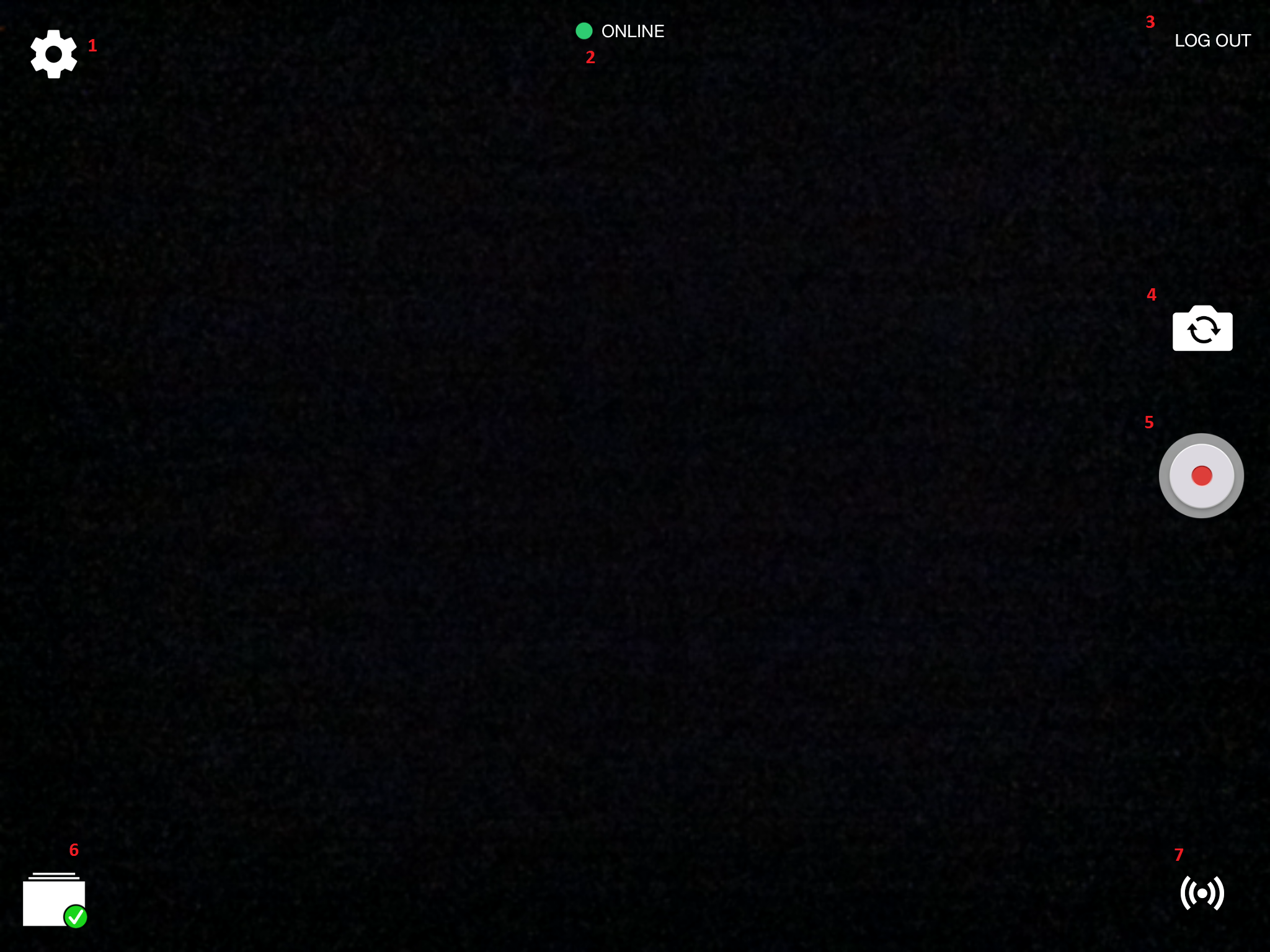
- ) Touch the Gear icon to open the Settings.
- ) Displays the current status of communication with the server.
- ) Touch to Log Out and Log In as another user.
- ) Touch to toggle between the front and rear cameras of your device.
- ) Touch to Start Recording.
- ) Touch to see recordings stored on this device and change Sync Settings.
 |
Sync is enabled, configured properly and no recordings are currently syncing. |
 |
Sync of recordings is currently underway. |
 |
Automatic Sync is currently disabled. |
- 7. ) Touch to place the device into streaming mode.