BEAM - Auto Sync: Difference between revisions
Jump to navigation
Jump to search
IVSWikiBlue (talk | contribs) Created page with "{{Article | content = Auto Sync is a feature in BEAM that allows a user to automatically upload a video from the BEAM application to the VALT server{{dash}} In BEAM, <b>..." |
IVSWikiBlue (talk | contribs) No edit summary |
||
| (10 intermediate revisions by the same user not shown) | |||
| Line 1: | Line 1: | ||
{{Article | content = | {{Article | content = | ||
Auto Sync is a feature in [[BEAM]] that allows a user to automatically upload a video from the BEAM application to the VALT server{{ | <onlyinclude> | ||
{{Flexbox | right = | |||
{{Aside - Helpful | content = In BEAM{{dash}}<b>Auto Sync if off, by default</b>.}} | |||
| left = | |||
<b>Auto Sync</b> is a feature in [[BEAM Main Page|BEAM]] that allows a user to automatically upload a video from the BEAM application to the VALT server. This screen will list any recordings that have been made, but not uploaded to the server. | |||
}} | |||
{{hr}} | |||
{{img with left key - width | file = Beam storage and manual sync 10.png | width = 800px | list = | |||
<li class="singleLineHeight">To access the videos and Auto Sync settings, you will need to click on the Files icon in the bottom left of the app.</li> | |||
}} | |||
{{hr}} | |||
{{img with key - width | file = Beam storage and manual sync | |||
<li>Toggle switch to turn <b>Auto Sync</b> on and off.</li> | {{Aside - Warning | hue = 50 | content = The iPad must be able to communicate with VALT to be able to upload the video to VALT. [[Network_Requirements#BEAM_.28Mobile_Application.29 | Click here]] to learn about the BEAM network requirements.}} | ||
{{img with left key - width | file = Beam storage and manual sync 11.png | width = 800px | list = | |||
<li class="singleLineHeight">Toggle switch to turn <b>Auto Sync</b> on and off.</li> | |||
}} | }} | ||
</onlyinclude> | |||
}} | }} | ||
[[IVS BEAM Software User Guide | ⤺ Back to IVS BEAM Software User Guide]] | |||
[[Category:BEAM]] | |||
[[Category:User Training]] | |||
Latest revision as of 18:28, 14 March 2025
Auto Sync is a feature in BEAM that allows a user to automatically upload a video from the BEAM application to the VALT server. This screen will list any recordings that have been made, but not uploaded to the server.
🕮
In BEAM—Auto Sync if off, by default.
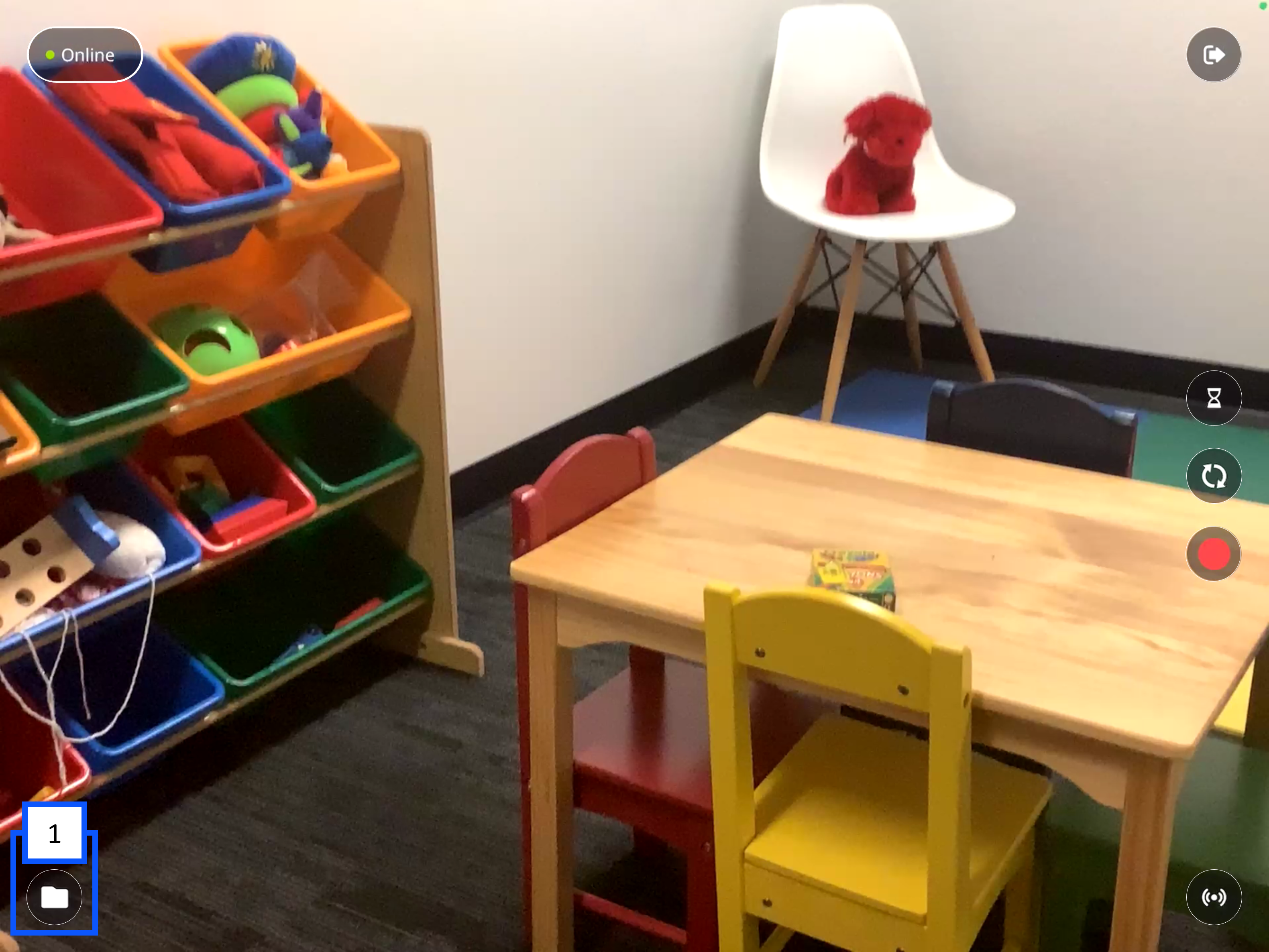
- To access the videos and Auto Sync settings, you will need to click on the Files icon in the bottom left of the app.
⚠
The iPad must be able to communicate with VALT to be able to upload the video to VALT. Click here to learn about the BEAM network requirements.
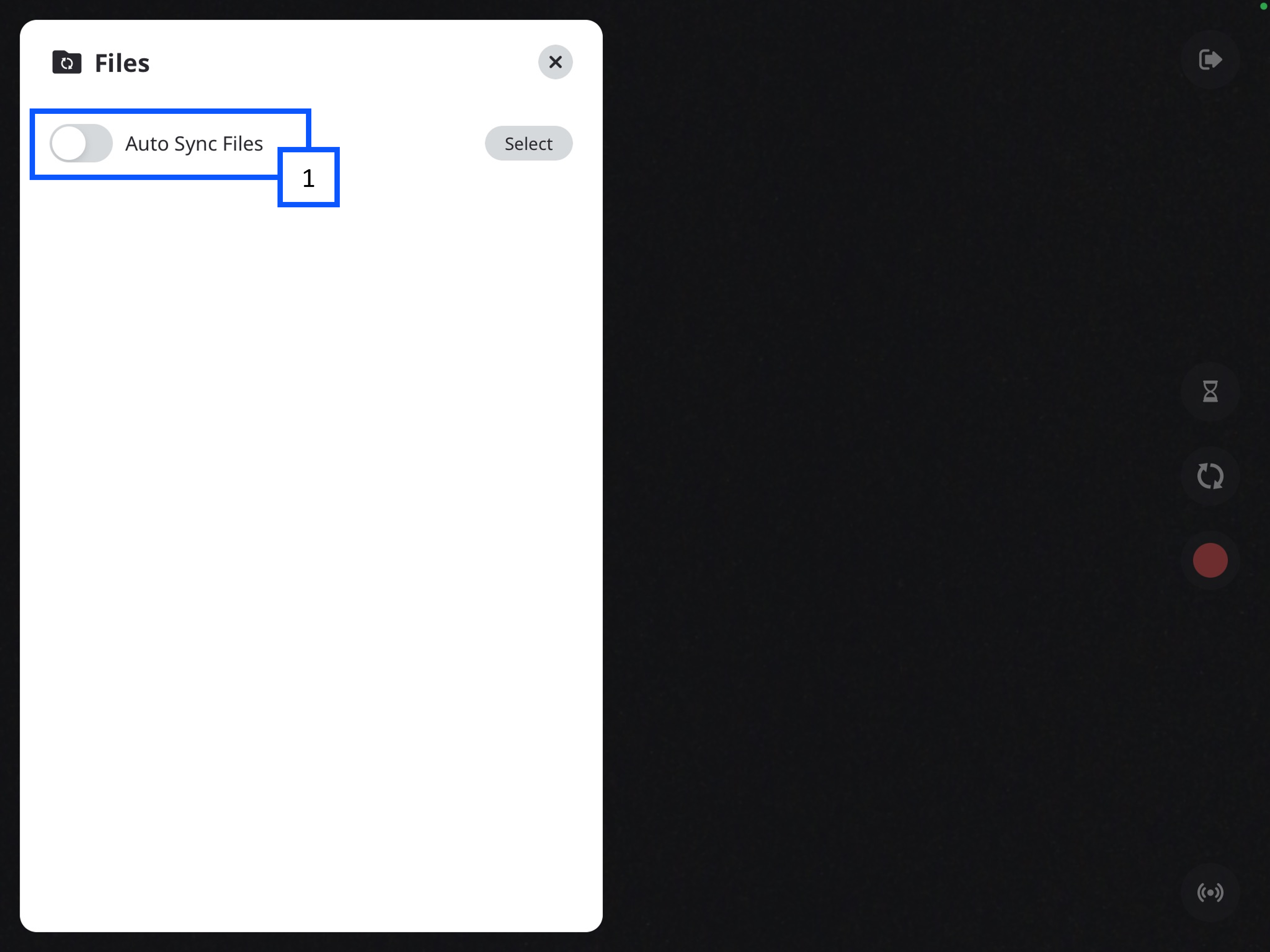
- Toggle switch to turn Auto Sync on and off.