BEAM Navigation: Difference between revisions
Jump to navigation
Jump to search
IVSWikiBlue (talk | contribs) No edit summary |
IVSWikiBlue (talk | contribs) No edit summary |
||
| (5 intermediate revisions by the same user not shown) | |||
| Line 9: | Line 9: | ||
<li><b>Record:</b> Touch to [[IVS Beam Recording|Start Recording]].</li> | <li><b>Record:</b> Touch to [[IVS Beam Recording|Start Recording]].</li> | ||
<li><b>Stream:</b> Touch to place the device into streaming mode.</li> | <li><b>Stream:</b> Touch to place the device into streaming mode.</li> | ||
<li><b>Files:</b> Touch to see recordings stored on this device and change [[ | <li><b>Files:</b> Touch to see recordings stored on this device and change [[BEAM - Auto Sync|Sync Settings]].</li> | ||
</ol></div> | </ol></div> | ||
</div> | </div> | ||
[[BEAM Main Page| ⤺ Back to Main Page]] | |||
[[Category:BEAM]] | |||
[[Category:User Training]] | |||
Latest revision as of 18:28, 14 March 2025
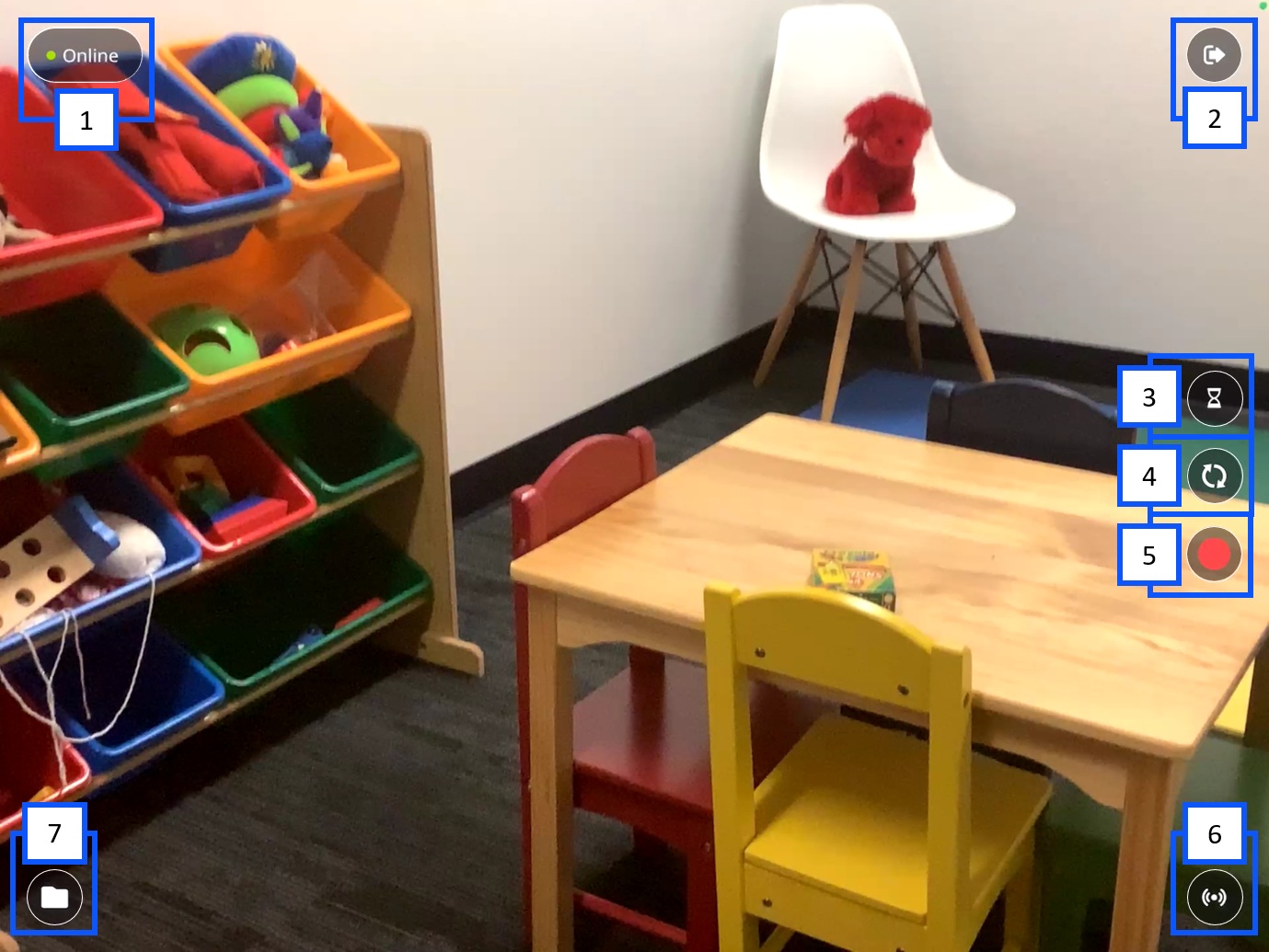
- Connection Status: Displays the current status of communication with the server.
- More Options: Touch to log out or to configure server settings
- Prepare Recording: Touch to prepare recording information.
- Flip Camera: Touch to toggle between the front and rear cameras of your device.
- Record: Touch to Start Recording.
- Stream: Touch to place the device into streaming mode.
- Files: Touch to see recordings stored on this device and change Sync Settings.