404 Not Found: Difference between revisions
Jump to navigation
Jump to search
IVSWikiBlue (talk | contribs) Created page with "{{Article | title = Server Error Code | content = <onlyinclude> In VALT, there are times when you might encounter a <b>404 Not Found</b>. {{img | file = VALT 404 Error.png}..." |
IVSWikiBlue (talk | contribs) No edit summary |
||
| (3 intermediate revisions by the same user not shown) | |||
| Line 1: | Line 1: | ||
{{Article | title = Server Error Code | content = | {{Article | title = Server Error Code | content = | ||
<onlyinclude> | <onlyinclude> | ||
In VALT, there are times when you might encounter | In VALT, there are times when you might encounter '<b>404 Not Found</b>'. | ||
{{img | file = VALT 404 Error.png}} | {{img | file = VALT 404 Error.png}} | ||
| Line 11: | Line 11: | ||
<dd><code><nowiki>https://valt.myserver.com/admin/not_a_real_page</nowiki></code> to <code><nowiki>https://valt.myserver.com/</nowiki></code></dd> | <dd><code><nowiki>https://valt.myserver.com/admin/not_a_real_page</nowiki></code> to <code><nowiki>https://valt.myserver.com/</nowiki></code></dd> | ||
</dl> | </dl> | ||
{{Aside | hue = 200 | icon = {{book_icon}} | content = If you see this error, please [https://ivs.help contact the IVS Support Team] for assistance!}} | |||
</onlyinclude> | </onlyinclude> | ||
}} | }} | ||
[[Category:VALT]] | |||
[[Category:Troubleshooting]] | |||
Latest revision as of 15:17, 7 March 2025
Server Error Code
In VALT, there are times when you might encounter '404 Not Found'.
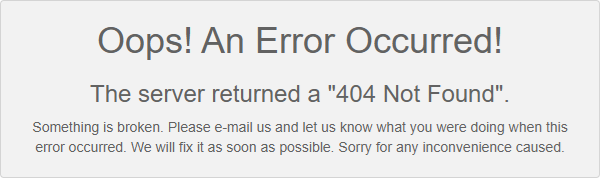
This error means that the URL you are trying to access does not exist. Try editing the URL to only include the name of your application.
- Example:
https://valt.myserver.com/admin/not_a_real_pagetohttps://valt.myserver.com/
🕮
If you see this error, please contact the IVS Support Team for assistance!